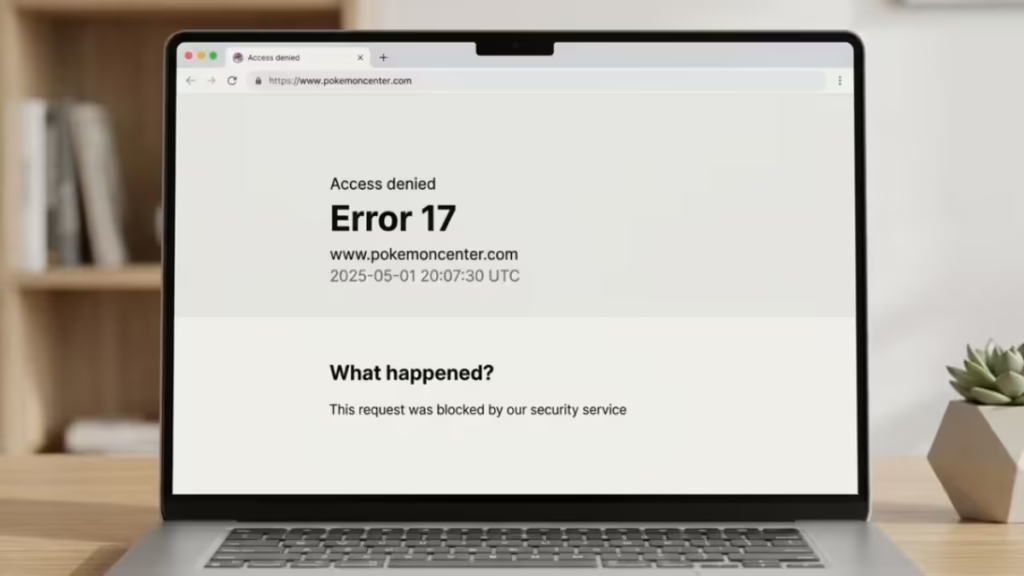
Pokémon Center Error 17 is a temporary access block that appears when the site’s security system flags your connection as suspicious. This usually happens during high-traffic product drops, when normal user behavior can accidentally look like bot activity. In most cases, the block is IP-based and not permanent, and many users regain access within hours.
What Is Pokémon Center Error 17?
Error 17 is an IP-based access restriction triggered by Pokémon Center’s automated security filters. The site runs on an enterprise-grade web application firewall called Incapsula, now part of Imperva. This system monitors every incoming connection and scores it based on traffic patterns, click speed, IP reputation, and browser behavior.
These filters are designed to block bots, scalpers, and scripts during product launches, but they often produce false positives that affect real shoppers.
When the block triggers, you may notice:
- Product pages failing to load
- Checkout buttons becoming unavailable
- A sudden redirect to an “Access Denied – Error 17” page
- Being removed from the queue unexpectedly
Importantly, Error 17 does not usually mean your account is banned. It means your current connection or session was flagged.
When Does Pokémon Center Error 17 Usually Happen?
Error 17 tends to appear at specific moments during a product drop rather than during casual browsing. Based on community reports from Reddit and Discord, the most common trigger points are:
- Queue entry: Right after you click to join the virtual queue for a high-demand item, such as a limited-edition plush or TCG expansion set
- Mid-checkout: During the payment or order confirmation step, which is the most frustrating moment to lose access
- Rapid navigation: After clicking links too quickly, opening multiple tabs, or refreshing the page repeatedly
- Peak server load: When thousands of users hit the site simultaneously, the security system becomes more aggressive and flags behavior it would normally ignore
Understanding when it happens helps you identify what triggered it and which fix to apply first.
Why Pokémon Center Shows Error 17: Causes of the Block
The Pokémon Center security system monitors traffic patterns, user velocity, and browser behavior continuously. Error 17 appears because your digital footprint momentarily resembles that of a bot, and the firewall cuts the connection automatically.
Common triggers include:
- IP-based blocking: Your IP address sends too many requests in a short period, flagging it as suspicious
- Velocity checks: Rapid clicks or repeated page refreshes signal non-human speed to the system
- Shared network IPs: If you are on a shared network, such as a college campus or office, one flagged user can block everyone sharing that external IP
- VPN and proxy traffic: Security systems like Incapsula maintain databases of known VPN IP ranges. Even a VPN running in the background without active use can trigger a block
- High server load: During major drops, the anti-bot system casts a wider net and catches real users as collateral
- Browser privacy features: iCloud Private Relay and aggressive ad-blockers can mask your browser fingerprint in a way the system rejects
Error 17 is almost always an IP-related or behavior-related issue, not a permanent blacklist of your Pokémon Trainer Club account.
Quick Fix Checklist (Try These First)
Before diving into detailed troubleshooting, try these proven quick fixes:
- Switch to a different browser (Chrome or Firefox instead of Safari)
- Turn off VPNs and iCloud Private Relay
- Use only one tab and one device
- Clear cookies for pokemoncenter.com
- Try mobile data instead of home Wi-Fi
Many users regain access after doing just one of these.
How to Fix Pokémon Center Error 17 (Step-by-Step)
Fix 1: Change Your IP Address (Most Effective)
Because Error 17 is usually IP-based, changing your network often works instantly.
- Switch from Wi-Fi to mobile data
- Toggle airplane mode on your phone for 10 seconds, then reconnect
- Use a different trusted network if available
This presents a clean IP to the site.
Fix 2: Switch Device and Network
Switching devices alone often fails if the network stays the same. The best results come from combining both.
- Move from desktop to smartphone
- Switch from home Wi-Fi to mobile data
This resets both the session and IP simultaneously.
Fix 3: Disable VPNs, Proxies, and Private Relay
Fully turn off:
- VPN software (including NordVPN and similar apps)
- iCloud Private Relay
- Proxy or privacy extensions
Even inactive VPN apps running in the background can trigger blocks.
Fix 4: Clear Cookies and Cache
Cookies can preserve a blocked session.
- Clear cookies specifically for pokemoncenter.com
- Restart your browser
- Wait a few minutes before retrying
Incognito mode helps only if your IP is not already blocked.
Fix 5: Wait for the Block to Expire
If nothing works, waiting is often the safest option.
Most Error 17 blocks clear within:
- 3 to 6 hours in normal cases
- Up to 24 hours during heavy traffic
Repeated retries can extend the block, so stepping away is the better move when active fixes fail.
What Does NOT Fix Error 17
These actions rarely help and can make things worse:
- Switching browsers without changing networks
- Constant refreshing
- Rapidly re-entering the queue
- Using incognito mode alone
- Autofilling checkout forms too quickly
These behaviors reinforce the signals that triggered the block in the first place.
Did My Order Go Through After Error 17?
If Error 17 appeared right after clicking “Place Order,” your purchase may still have succeeded.
Check:
- Confirmation email (including spam and promotions folders)
- Pending or authorized bank charges
- Order history from a different device or network
If you see a pending charge, wait before retrying checkout to avoid duplicate orders.
How Long Does Pokémon Center Error 17 Last?
Pokémon Center Error 17 is usually temporary, and the duration depends on how the block was triggered.
- Standard block: 3 to 6 hours in most cases
- Extended block: Up to 24 hours when the system flags repeated access attempts
- Permanent block: Extremely rare and typically linked to prolonged automated behavior
If the block happened during a traffic spike rather than from repeated suspicious behavior, it often clears automatically once server load drops. No action is required in most cases.
When to Contact Pokémon Center Support
Contacting support makes sense only when troubleshooting has failed and specific conditions are met. Response times can be slow during active product launches, so reaching out too early rarely helps.
Contact Pokémon Center support if:
- Error 17 persists beyond 24 hours across multiple networks and devices
- You cannot access the site at all, even after switching IPs
- A pending charge on your account has not cleared and your order does not appear in your history
When submitting a ticket, include:
- The approximate time and date the error occurred
- A screenshot of the “Access Denied” message
- A list of troubleshooting steps you have already tried
This speeds up the support process and reduces back-and-forth.
How to Avoid Error 17 During Future Drops
To reduce your chances of getting blocked next time:
- Use one device and one network
- Stay logged in before the drop starts
- Avoid refreshing manually
- Keep only one tab open
- Disable VPNs and privacy relays in advance
- Click slowly and deliberately, waiting 15 to 30 seconds between actions
These steps significantly lower your risk, though they cannot guarantee access during extreme server load events.
Frequently Asked Questions
What does Error 17 mean on Pokémon Center?
Error 17 is an access restriction triggered by the site’s web application firewall (Incapsula/Imperva). It blocks connections that resemble bot activity, even when the visitor is a real person.
Is Pokémon Center Error 17 a permanent ban?
No. In almost all cases, it is a temporary IP-based block. Your Pokémon Trainer Club account is not banned. Access returns once the cooldown period ends or your IP changes.
How long does Pokémon Center Error 17 last?
Most blocks clear within 3 to 6 hours. Severe cases can last up to 24 hours. Waiting without repeated retries is usually the fastest path to recovery.
Does switching browsers fix Error 17?
Not on its own. If your IP is flagged, every browser on the same network shows the same error. Changing your network is the more effective step.
Should I contact Pokémon Center support?
Only if the block persists beyond 24 hours and you cannot access the site from any network. For shorter blocks, the fixes above are faster and more reliable than waiting for a support response.

