You can blur faces, hide street signs and crop out landmarks, and your video can still give away where you filmed it. Security researcher and YouTuber Colsto has shown that planes flying far overhead leave a trace in the audio, even when nobody can hear them. With enough flight data and math, that trace points to a spot on the map.
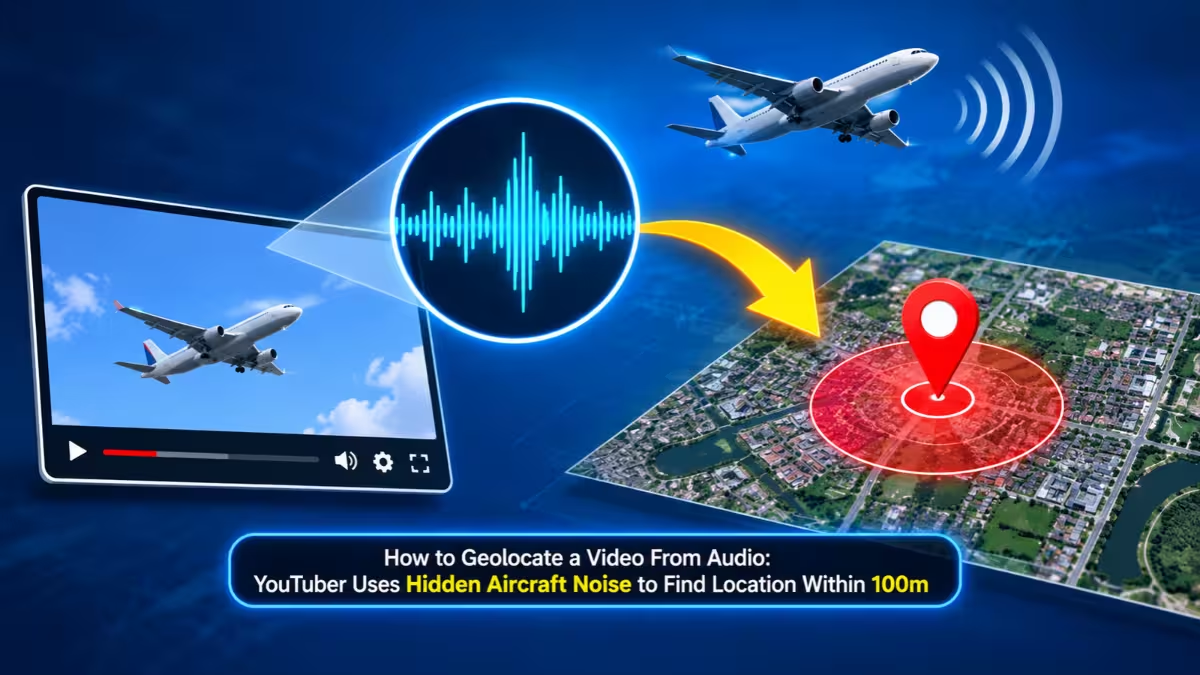
How Colsto Geolocated a Video Using Only Background Audio
Colsto started with a fuzzy security camera clip. It showed trees, a riverbank and almost nothing else. He knew only two facts: the camera recorded it on 8 September, and it sat somewhere in the continental United States.
That covers millions of square miles. Colsto still narrowed it down to a single camera, accurate to roughly 100 meters, and then confirmed the match on Google Street View. The tree outlines and a utility pole in the Street View imagery lined up with the footage.
What Is the Doppler Effect and Why Do Inaudible Planes Matter?
You already know the Doppler effect, even if the name sounds unfamiliar. An ambulance siren sounds higher as it races toward you and drops in pitch once it passes. The source stays the same. The movement changes what you hear.
Aircraft engines do exactly this. As a plane approaches and then moves away from a microphone, its engine tone bends in a curve. The shape of that curve depends on the plane's speed, altitude, direction and its distance from the listener.
Here is the key part. A plane can sit too far away for your ears to notice it, yet the microphone still captures it. Colsto exposed these faint tones with a spectrogram, a visual chart that plots sound frequencies over time. The aircraft curves showed up clearly on the chart even though the clip sounded silent to a human listener.
Step-by-Step: From Spectrogram to a 100m Location Match
Colsto turned those curves into a location through several steps.
1. Spot the aircraft signals. He found two separate plane sounds in the clip, 920 seconds apart.
2. Pull public flight data. Most commercial aircraft broadcast their position, speed and altitude through ADS-B (Automatic Dependent Surveillance-Broadcast). Anyone can access this data. Colsto gathered around 50GB of it covering the continental US and wrote more than 5,000 lines of code to process it.
3. Correct for real-world physics. Sound takes time to travel from a plane to the ground, so he factored in that delay. ADS-B reports altitude above sea level, so he added terrain elevation data to work out the true 3D distance between each plane and every possible recording spot.
4. Filter the candidates. His first pass produced about 70,000 possible locations. He then used the 920-second gap between the two planes and threw out any spot where a third flight should have shown up in the audio. That cut the list to roughly 15,000.
5. Score each location. For every remaining point, he modeled the Doppler curve each plane would produce from that exact position and compared it against the real spectrogram. One location scored clearly higher than the rest.
6. Verify independently. Colsto ran a second test on a different one-minute recording with a known timestamp and a different aircraft. The top result landed on the same location.
Can Noise Reduction or Filters Hide Aircraft Audio Traces?
Many people assume a quick noise filter strips out background sound. Colsto tested that idea. He tried high-pass filtering, added background noise and applied telephone-style compression. The aircraft patterns survived all three in his demos.
He did find two things that make the method harder:
- Cutting chunks out of the recording, which breaks up the continuous Doppler curve
- Aggressive noise cancellation, which can wipe out the faint tones
Is This Audio Geolocation Technique a Real Privacy Threat?
Colsto keeps the risk in perspective. He says the chance of someone using this method to find a regular person stays very slim, and that attackers have far easier ways to track people. He also chose not to release any software or tools, so nobody can download a ready-made version.
Still, the demo matters. It proves that a clip with zero visual clues can carry location data in its soundtrack. That has real weight for:
- Journalists and activists who share footage from sensitive places
- OSINT investigators who verify where viral videos came from
- Content creators who want to keep their home location private
The method also has limits. It needs clear aircraft signals, a known recording date or time, and solid flight data for the region. A clip filmed under quiet skies, or in an area with poor ADS-B coverage, gives the technique much less to work with.
How to Remove Location Clues From Your Video Audio
If you share video from places you want to keep private, these steps help:
- Edit out or reshuffle sections of the audio so no long, continuous track remains
- Replace the original audio with music or a voiceover when the ambient sound adds nothing
- Strip metadata such as GPS tags and timestamps before you upload
- Delay posting so the recording time stays unclear
- Watch for other giveaways like reflections, signage, weather and distinctive scenery
Key Takeaway for Creators, Journalists and OSINT Researchers
This stands as one of the cleverest OSINT demonstrations in recent memory. It mixes physics, public flight data and serious number crunching to pull a location out of sound nobody can hear. For most people it changes very little day to day. But it sends a clear message: background audio carries more information than you think, and "silent" does not mean safe.
Frequently Asked Questions
Can someone find my location from any video I post?
No. The method only works when the clip captures clear aircraft signals and the analyst knows roughly when you recorded it. Many videos will not meet those conditions.
What is ADS-B data?
ADS-B is a system where aircraft broadcast their position, speed and altitude. Public flight tracking websites rely on it, and anyone can access the data.
Does a noise reduction filter remove the aircraft sound?
Not reliably. Colsto's tests showed that high-pass filters and compression left the aircraft patterns intact. Cutting sections out of the audio or applying heavy noise cancellation works better.
Did Colsto release a tool for this?
No. He explained the method for educational purposes but did not publish any software or code.
How accurate is the technique?
In Colsto's demo, it located the recording to within about 100 meters.
Read More
- How to Check If Your Data Is on the Dark Web and Remove It
- Android TV Box Malware: How to Check If Your Box Is Infected and What to Do After the XCPE Botnet Takedown
- VOLTA Infostealer Uses Claude, Kimi and Gemini to Rank Victims by Value: How to Check and Protect Your PC
- How to Spot AI-Generated Fake Login Pages Before You Sign In (Checks, MFA Risks and Fixes)
- Wrong Number Text Scam: How It Works, Warning Signs, and What to Do If You Reply (2026)