You just received a Visa gift card and you want to start spending, but you are not sure how to activate it. This guide walks you through every method to activate a Visa gift card, register it for online use, check your balance, and keep it secure.
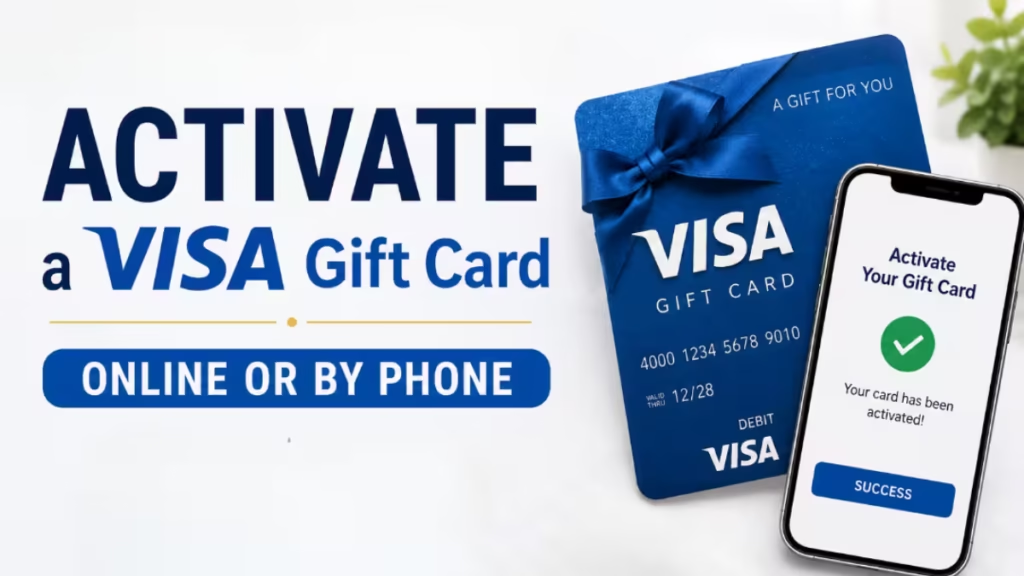
By the end, you will know exactly what to do whether your card came in the mail or you picked it up at a store.
Do You Actually Need to Activate Your Visa Gift Card?
Not always. Cards purchased in person at a retail store are typically already activated at the point of sale. You can swipe them immediately without doing anything extra.
However, Visa gift cards ordered online almost always require activation before you can use them. The card ships in an inactive state for security reasons, and activation links the card to your account so it is ready for purchases.
A quick rule of thumb:
- Bought at a grocery store or pharmacy counter? Likely active already.
- Received in the mail or purchased from an online retailer? Activate it first.
When in doubt, try checking your card balance before making a purchase. A working balance check confirms the card is active.
How to Activate a Visa Gift Card by Phone
Phone activation is the most straightforward method and works for virtually every Visa gift card issuer.
Step 1: Find the Activation Phone Number
Look at the sticker on the front of your card. Most cards ship with a sticker that lists a toll-free activation number. If there is no sticker, check the back of the card for a customer service or activation number.
If the card came with any packaging, letters, or inserts, those documents may also include the activation number.
Note: The phone number typically connects you to the gift card issuer’s customer service team, not to Visa directly. Issuers are usually banks or retail companies such as Walmart, Vanilla, or Giftcards.com.
Step 2: Call the Number and Provide Your Card Details
When the call connects, you will either reach a live agent or an automated system. Be ready to provide:
- The 16-digit card number (on the front or back of the card)
- The expiration date (usually on the back)
- The security code or CVV (3 digits on the back)
Speak slowly and clearly if you are talking to a live agent so they can record your information accurately. If the automated system is giving you trouble, press “0” repeatedly to get transferred to a live representative.
You may also need to create a 4-digit PIN during this call. Choose something you will remember but that others cannot easily guess. Avoid using your birthday.
Step 3: Confirm Activation
Once you submit your card information, the agent or system will confirm that your card is now active. At that point, your Visa gift card is ready to use anywhere Visa is accepted.
If activation does not go through, call Visa customer support directly at 1-800-847-2911 or use the live chat option on Visa’s Contact Us page.
How to Activate a Visa Gift Card Online
Online activation takes only a few minutes and gives you the option to register your card at the same time.
Step 1: Go to the Activation Website
Look for a website URL on the front sticker or the back of your card. Most issuers print a direct activation link right on the card or its packaging. Some cards include a QR code on the sticker that takes you straight to the activation page when you scan it.
If you cannot find a website on the card:
- Go to the card issuer’s homepage and navigate to the Visa gift card section.
- If you do not know who the issuer is, visit Visa’s prepaid gift card page to begin activation.
Step 2: Verify the Site Is Secure
Before you enter any card details, confirm that the website URL starts with “https” and shows the correct issuer name or logo. If the page has typos, looks unfamiliar, or does not show any branding, close it and activate through Visa’s official site instead.
Also check the card packaging before you start. If the packaging is damaged or the security code area is already scratched off, request a replacement card from the issuer rather than proceeding with activation.
Step 3: Enter Your Card Information
The activation page will prompt you to fill in:
- The 16-digit card account number
- The expiration date
- The CVV security code
- Possibly a billing address and contact information if the site combines activation with registration
Double-check each field before submitting. Incorrect details are the most common reason activation fails.
Step 4: Complete Activation
After you submit the form, the site will confirm that your card is active. If the issuer requires an account, you may be prompted to create one or log in before the process finalizes.
How to Register Your Visa Gift Card
Activation and registration are two different things. Activation simply unlocks the card. Registration ties the card to your identity, which lets you:
- Make online purchases (many online merchants require a billing address linked to the card)
- Check and track your balance through an online account
- Report a lost or stolen card and get a replacement issued
Step 1: Contact the Issuer or Visit Their Registration Page
Use the same phone number or website you used for activation. Look for a “Register Card” or “Manage Card” option on the issuer’s site. If you activated by phone, the agent may offer to register your card in the same call.
Step 2: Provide Your Personal Details
During registration, you will typically need:
- Your legal name
- Your billing address
- Contact information (email or phone number)
- Possibly your Social Security number depending on the issuer
Enter your information accurately. If the billing address you give during registration does not match what you provide at checkout, the transaction will be declined. Update your registered information any time you move or change your contact details.
Step 3: Use the Registered Card for Online and Phone Purchases
Once registered, your card works like a standard debit card for online checkout. Enter the same billing details you provided during registration to ensure your transactions go through.
Registration also makes it much easier to dispute a fraudulent charge, cancel the card, or request a new one if it is stolen, because the card is now linked to your identity.
How to Check Your Visa Gift Card Balance
You should check your balance before making any purchase to avoid a declined transaction at checkout.
- By phone: Call the toll-free number on the back of the card. The automated system will walk you through entering your card number, expiration date, and security code, then read your current balance.
- Online: Go to the issuer’s website (examples include Vanilla, Giftcards.com, or Gift Card Mall) and look for a “Check Balance” option. Enter the 16-digit card number and security code to view your remaining balance.
Check your balance regularly, especially if you have not used the card in a while. This helps you catch any unauthorized charges early.
Visa Gift Card Security Tips
A Visa gift card carries real money, so treat it the same way you would treat a debit card.
Sign the Back of the Card
Add your signature in the designated space on the back with a blue or black pen. Some merchants will compare the signature on the card to your receipt or check your ID to verify your identity. Visa may consider unsigned cards invalid for certain purchases.
Record Your Card Information
Write down the 16-digit card number, security code, and customer service phone number and store that information somewhere safe. Alternatively, photograph both sides of the card and keep the image in a secure folder.
If you lose the physical card, this information lets you continue making online purchases, report the card as missing, and request a replacement.
Spend Before the Expiration Date
Check the expiration date printed on the front or back of the card. By law, gift card balances must remain valid for at least five years from the purchase date. Once the card expires, you can no longer access the remaining balance unless the issuer offers a replacement card with the leftover funds.
Report Lost or Stolen Cards Immediately
If your card goes missing, call the toll-free number on the back right away. Provide the 16-digit card number so the issuer can cancel the card and issue a new one. You may also need to provide the expiration date or security code to verify ownership.
Acting quickly reduces the risk of someone draining the balance before the card is cancelled.
Troubleshooting Common Visa Gift Card Activation Problems
Activation Fails Online
- Re-enter your card number, expiration date, and CVV carefully. One wrong digit will cause the process to fail.
- Confirm you are on the correct issuer website and not a phishing page.
- Clear your browser cache or try a different browser.
- If the site is down, wait a few minutes and try again.
Automated Phone System Does Not Work
- Press “0” repeatedly to reach a live agent.
- Try calling from a different phone.
- Contact Visa directly at 1-800-847-2911 if the issuer’s line is unresponsive.
Card Declined at Checkout After Activation
- Verify you have sufficient balance for the purchase.
- For online purchases, confirm the billing address you entered at checkout matches your registered address.
- Some merchants require a zip code linked to the card. Add your zip code during registration to resolve this.
- Contact the issuer’s customer service if the card continues to be declined after you confirm the balance and billing details are correct.
Card Shows No Balance After Activation
- Wait 15 to 30 minutes. Some issuers take a short time to reflect the balance after activation.
- Check that the activation was completed successfully. If you received no confirmation, repeat the process.
- Call the issuer’s customer service to verify the card status manually.
How to Use Your Activated Visa Gift Card
Your activated Visa gift card works exactly like a standard Visa debit card.
- For in-store purchases: Swipe or insert the card at the payment terminal. Sign the receipt or enter your PIN if prompted. Make sure the purchase amount does not exceed the card balance. If it does, the transaction will be declined.
- For online purchases: Enter the 16-digit card number, expiration date, and CVV at checkout just like a regular credit or debit card. Use the billing address you registered with the card. If the checkout page asks for a billing address and you have not registered the card yet, complete registration first.
- For phone purchases: Provide the card number, expiration date, and CVV to the representative over the phone, along with your registered billing address.
If your total purchase exceeds the card balance, some merchants allow you to split the payment between the gift card and another payment method. Ask the merchant if split payment is an option before you checkout.
Benefits of Using a Visa Gift Card
Visa gift cards offer several practical advantages:
- Wide acceptance: You can use them anywhere Visa credit or debit cards are accepted, both in-store and online.
- Budget control: Because the card has a fixed balance, it prevents overspending. Once the balance runs out, the card stops working until you reload it (if the card supports reloading).
- No bank account required: A Visa gift card lets you make cashless purchases without needing a traditional bank account or credit card.
- Fraud protection: Many issuers offer the same fraud protection features as standard Visa debit cards, especially after you register the card.
- Gift flexibility: Unlike store-specific gift cards, a Visa gift card gives the recipient complete freedom to spend wherever they choose.
Frequently Asked Questions
Does a Visa gift card expire?
The card itself has an expiration date printed on it, but legally the balance must remain valid for at least five years from the purchase date. After the card expires, contact the issuer about transferring the remaining balance to a new card.
Can you use a Visa gift card internationally?
It depends on the issuer. If the card says “Valid only in the United States” or “Domestic Use Only,” it will not work internationally. Check the card packaging or call the issuer to confirm before traveling.
Can you make returns with a Visa gift card?
Yes, most Visa gift cards accept returns. Hold onto your physical card until you are certain you will not need to return anything, as merchants may require the original card to process a refund.
How much does it cost to activate a Visa gift card?
Activation fees vary by issuer and card value. Cards under $75 typically carry a fee of around $2.95, while cards from $75 to $150 often cost around $3.95 to activate. Check the card packaging for the exact fee before purchasing.
Can you sell an activated Visa gift card?
Yes. Several online platforms let you exchange an activated gift card for cash. Research the platform’s fees and reputation before listing your card.
What if the card’s packaging is already damaged when I receive it?
Do not activate the card. A damaged package or an already-exposed security code suggests the card may have been tampered with. Contact the seller or issuer immediately and request a replacement.

