Most Python projects ship with a requirements.txt file so every contributor installs the exact same set of dependencies. Installing packages one by one with pip install pandas pillow numpy works fine for small scripts, but it breaks down across teams and machines where everyone needs the same versions. This article covers the install command, virtual environment setup, common errors, and how to generate the file yourself.
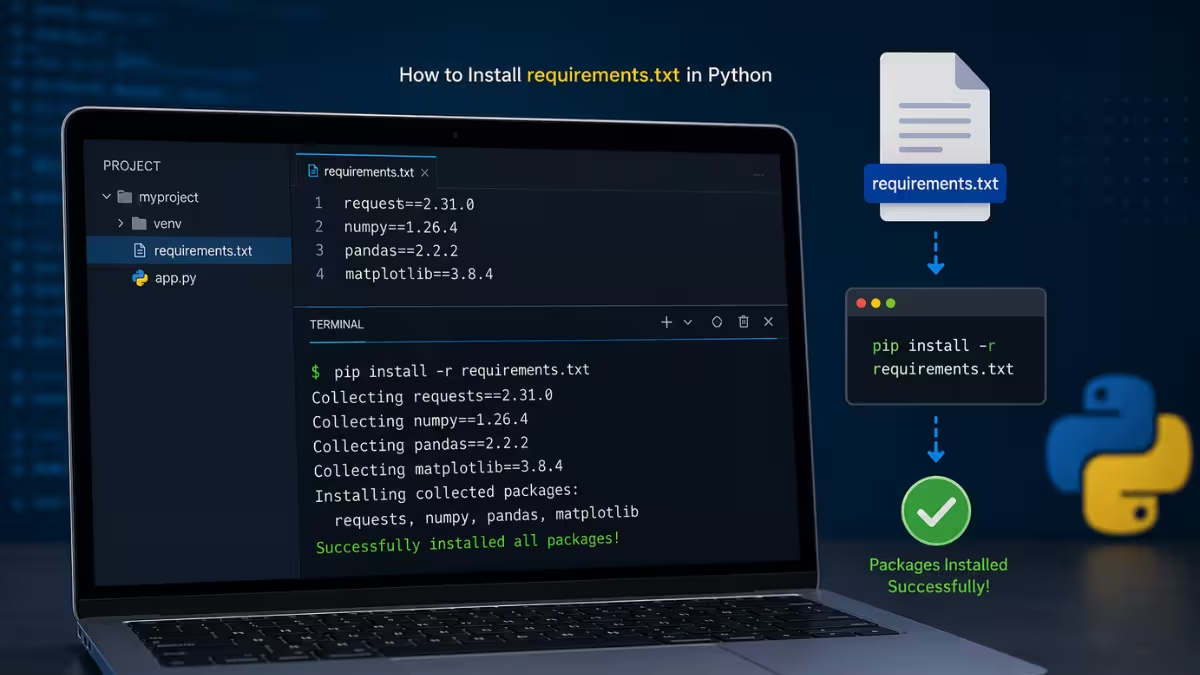
What Is requirements.txt
A requirements.txt file lists the Python packages a project needs, along with their versions, so anyone can install the same dependencies with one command.
Each line in the file represents a package name, sometimes followed by a version specifier such as ==, >=, or ~=. Tools like pip read this file and install every package listed in it.
How to Install Packages From requirements.txt
The core command installs every package listed in the file into the current Python environment.
Open a terminal in the project folder that contains requirements.txt and run:
pip install -r requirements.txtThis reads the file line by line and installs each package along with any dependencies it needs.
How to Install requirements.txt in a Virtual Environment
Installing packages directly into the system Python often causes version conflicts between projects.
A virtual environment isolates each project's packages, so one project's dependencies do not interfere with another's.
- Create the environment:
python -m venv venv- Activate it. On Linux and macOS:
source venv/bin/activateOn Windows:
venv\Scripts\activate- Install the requirements:
pip install -r requirements.txtFix 1: "pip: command not found"
This error occurs when the system does not recognize pip as a valid command, usually because Python was installed without adding it to the system PATH, or because the system defaults to Python 2.
Try one of these alternatives:
pip3 install -r requirements.txtpython3 -m pip install -r requirements.txtOn Windows, the equivalent fallback is:
py -m pip install -r requirements.txtFix 2: Wrong Python Version Being Used
Machines with multiple Python versions installed sometimes have pip pointing to the wrong one, which installs packages where the project cannot find them.
Calling pip through a specific Python version avoids this mismatch entirely.
python3.11 -m pip install -r requirements.txtReplace 3.11 with the exact version the project requires. This installs the packages into that specific version's site-packages directory rather than whichever version pip defaults to.
Why Installation Sometimes Fails
- Outdated pip version that cannot resolve newer package metadata
- Conflicting version requirements between packages listed in the file
- Missing system-level dependencies required to build certain packages from source
- Network restrictions or proxy settings blocking access to the Python Package Index
How to Generate a requirements.txt File
Anyone can capture the exact packages installed in their current environment into a new requirements.txt file.
Run this command inside the active environment:
pip freeze > requirements.txtThis writes every installed package and its exact version to the file, making the environment reproducible on another machine.
Frequently Asked Questions
What does the equals sign in requirements.txt mean?
The == symbol pins a package to an exact version, ensuring the same version installs every time regardless of newer releases.
Can requirements.txt install packages without internet access?
No, pip install -r requirements.txt requires internet access to reach the Python Package Index, unless the packages are hosted locally or in an offline package cache.
Does requirements.txt work with Anaconda environments?
Yes, pip can run inside an Anaconda environment and install packages from requirements.txt, though Conda's own environment.yml format is more common for Anaconda-managed dependencies.
Can I install only one package from requirements.txt?
Not directly with the -r flag, since it installs every line in the file. Open the file, copy the specific package name and version, then install it individually with pip install package_name.
What is the difference between requirements.txt and setup.py?
requirements.txt lists exact dependencies for reproducing an environment, while setup.py defines a package's metadata and dependencies for distribution and installation as a library.