Roblox Error Code 541 stops you from entering a private server and shows the message “You can join once the host is in the private server.” The error appears the moment you tap a private server link before the server owner has loaded in. Roblox now gates private servers behind the host’s presence, so the fix centers on join order and timing rather than your device or connection.
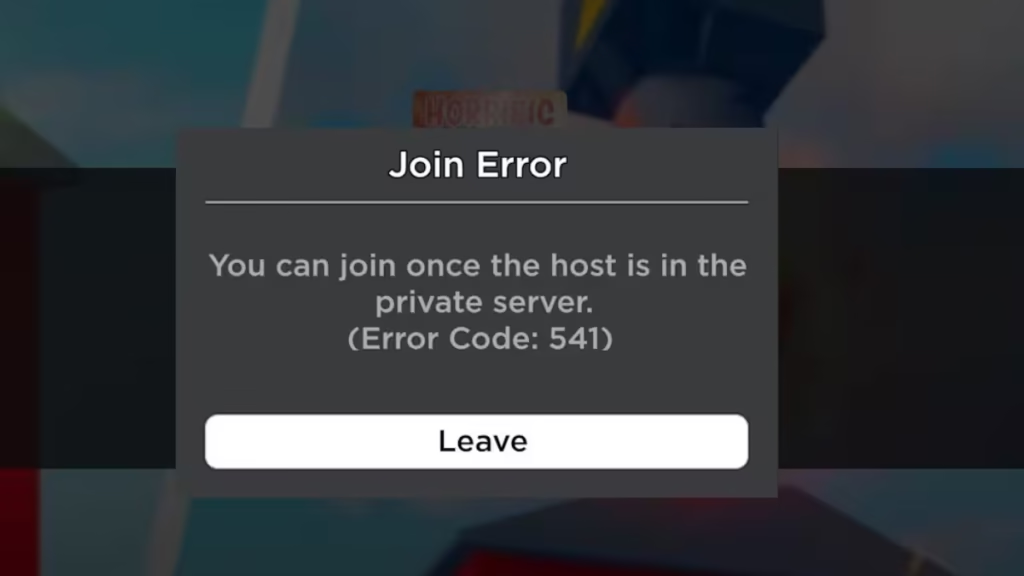
This guide explains what triggers Roblox Error Code 541 and walks through the steps that actually get you into the server.
What Is Roblox Error Code 541?
Error Code 541 is a join restriction, not a crash or a connection failure. Roblox refuses your request because the private server you are trying to enter has no host inside it yet. The platform only spins the server up once the owner joins, and until that happens every other player gets bounced with the 541 message.
- It targets private servers specifically, not public game lobbies.
- It affects every game that uses private servers, since the rule sits at the Roblox platform level.
- Whitelisting a player or adding them to the server members list does not bypass it. The host still has to be present.
- It can behave inconsistently. Some players connect after a couple of retries, and a few get dropped into a public server instead.
If you own the server and you still see 541, the server instance has likely gone idle or has not launched yet, so you need to relaunch it before anyone else can join.
How to Fix Roblox Error Code 541
1. Have the Host Join First
This solves the error in almost every case. The server owner opens the private server before anyone else attempts to join. Once the host loads in, the server goes live and the rest of the group can connect normally. Coordinate over voice chat or a group chat so everyone knows the moment the host is inside.
2. Join Right After the Host Confirms
Timing matters. Join within a few seconds of the host confirming they are in the server. If you wait too long and the host leaves, the server shuts down again and the 541 message returns. Treat the host’s entry as the green light and connect immediately.
3. Retry the Join a Few Times
Some players report that the connection succeeds after two or three attempts, even with the host already inside. This points to a short delay while Roblox finishes spinning the server up. Tap the join button again, wait a moment, and try once more before assuming the link is broken.
4. Use the Current Private Server Link
Open the private server from the game’s servers page instead of an old link someone pasted days ago. Private server links can expire or change when the owner renews or recreates the server. Pull a fresh link directly from the game page, then share that one with your group.
5. Restart Roblox if the Error Sticks
If the host is confirmed inside and you still get blocked, your session is probably holding a stale state. Close Roblox fully, including any background instance, then reopen the game and rejoin the server. A clean restart clears the cached join request that triggers the repeat 541 message.
6. Confirm the Server Is Still Active
A private server stops working once its subscription lapses or the owner deletes it. Ask the host to check that the server still appears in their active private servers list. If it expired, the host renews or creates a new one and shares the updated link.
7. Relaunch the Server if You Are the Host
When you own the server and 541 blocks your own entry, the instance has gone idle. Leave the join screen, open the game’s private server section, and launch your server fresh. Once you are inside, your friends can join without hitting the error.
Is Error Code 541 a Bug or Intentional?
Error Code 541 looks like a deliberate Roblox change rather than a one-off glitch. The platform now requires a host to be present before a private server accepts other players, which is why retries and whitelisting fail to override it. Players who run private servers for moderation or for hosting groups have flagged the behavior as disruptive, since it forces the owner to stay logged in for the server to stay open.
For now, treat the host-first rule as the working condition. The reliable path into any private server is to get the owner inside first, then connect your group right behind them.
Related Game Error Fixes
Roblox Error Code 541 comes down to one rule: a private server stays closed until its host joins. Coordinate so the owner enters first, connect within seconds, and retry if the server needs a moment to start. If the error survives a confirmed host and a restart, check that the server has not expired and pull a fresh link from the game page. Once the join order lines up, the 541 message clears and you load straight into the server.

