MTG Arena error code 503 blocks your login and displays the message “An unexpected error has occurred.” It strikes most often during scheduled maintenance windows, new set launches, and the heavy login rush right after servers come back online.
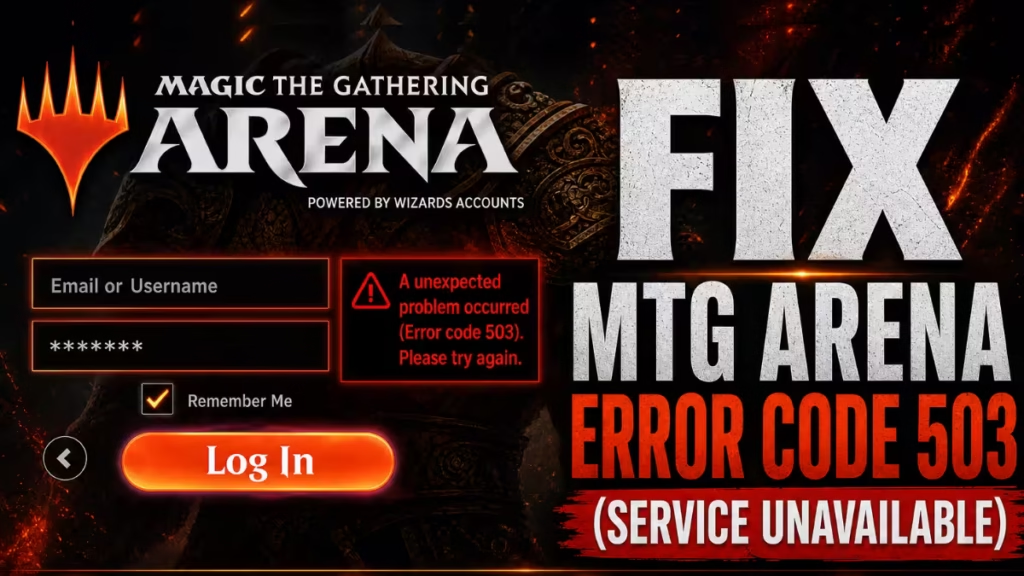
This guide covers every confirmed cause of MTG Arena error 503 and walks through seven fixes in order from fastest to most advanced.
What Is MTG Arena Error Code 503?
Error code 503 is an HTTP “Service Unavailable” response. The server received your connection request but cannot process it right now. In the HTTP status code system, anything in the 5xx range points to the server side, not your device or account.
In MTG Arena, the 503 signals that a backend service handling your login, matchmaking queue, or collection sync is offline, overloaded, or mid-restart. Your account credentials are not the problem. The issue sits on Wizards of the Coast’s servers.
Why You’re Seeing MTG Arena Error Code 503
1. Scheduled Maintenance (Most Common)
Wizards of the Coast takes servers offline to push patches, Alchemy updates, and database migrations. Every connection attempt during that window returns a 503. Maintenance typically runs between 15:30 and 18:30 UTC, but large infrastructure changes have pushed downtime past seven hours.
2. Status Page Shows Operational But Servers Are Not Ready
The official MTG Arena status dashboard updates on a schedule rather than on actual server health. The page can show green before the login servers are fully ready to accept connections. Third-party monitoring services like StatusGator often detect outages faster than the official dashboard reflects them.
If the status page says operational but you still see error 503, the servers are likely in mid-recovery. Wait before troubleshooting locally.
3 Server Overload After Maintenance
The moment the status page turns green, thousands of players attempt to log in at once. This traffic spike overloads the freshly restarted servers and causes 503 errors even though the hardware is technically running. WotC throttles incoming connections during this window, which is why a player in one region can log in while another still sees the error.
4. Authentication Failure or Login System Outage
Sometimes game servers run normally but the authentication layer that validates your session is down. Players already logged in can continue, but every new login attempt fails with a 503. A March 2026 outage followed this exact pattern: existing sessions survived while new logins produced a persistent error. Authentication failures of this kind appear across many online game platforms when the login service goes down independently of the game servers.
5. Outdated Client Version
A version mismatch between your installed client and the current server build regularly produces a 503 instead of a clearer update prompt. This is most common on Android and iOS where app store updates lag behind the server patch schedule.
6. VPN or Proxy Interference
WotC servers sometimes block VPN IP ranges that route through flagged or congested exit nodes. A VPN that worked fine during your last session can start producing connection errors during a maintenance window when server routing shifts.
7. Corrupted Cache or Client Files
A corrupted Cache folder inside your MTG Arena installation directory can lock the client in a login loop that looks identical to a global 503 error. This typically affects a small number of players while the rest of the community connects without issues.
How to Fix MTG Arena Error Code 503
Follow these steps in order.
Step 1: Check Real Server Status First
Cross-reference these sources before doing any local troubleshooting:
- @Wizards_Help on X for the most recent official timestamp
- StatusGator’s MTG Arena page for independent uptime monitoring
- Reddit’s r/MagicArena New tab for live player reports in real time
If multiple players report error 503 at the same time, the problem is a global server outage and no local fix will help.
Step 2: Wait 15 to 30 Minutes
Error 503 is almost always a server-capacity issue. The most reliable fix is time. Most maintenance outages resolve within one hour past the scheduled end time.
Servers restore in stages:
- Hardware restarts and the status page turns green
- The authentication service comes back online
- Matchmaking and collection sync become available
Logging in during Stage 1 still returns a 503 because the login pipeline is not ready yet. Wait until Stage 2 or 3 before retrying.
Step 3: Fully Restart the Client and Launcher
Close MTG Arena completely. If you run MTG Arena through Steam or the Epic Games Launcher, close those too. A full restart forces the client to open a fresh connection instead of retrying a stale socket from the maintenance period.
Step 4: Disable Your VPN or Proxy
Turn off any VPN and connect directly. If the error clears, your VPN exit node was flagged or overloaded during the maintenance window. Switch server locations or keep the VPN off during active play sessions.
Step 5: Verify Your Internet Connection
A 503 is a server response, which means your connection is reaching the server. However, a severely unstable connection can produce a malformed response that the client logs as a 503. Run a speed test and switch to a wired connection if available.
Step 6: Update the MTG Arena Client
Check your launcher for a pending update. On mobile, open the App Store or Google Play and look for an available update manually. A version mismatch frequently triggers a 503 instead of a proper update prompt, especially on mobile platforms after a major patch.
Step 7: Clear the MTG Arena Cache
Use this step only if the broader community connects normally but you remain locked out.
On PC (standalone or Epic launcher):
- Close MTG Arena completely
- Press
Win + R, type%AppData%\LocalLow\Wizards of the Coast\MTGA, and press Enter - Delete the
Cachefolder - Relaunch MTG Arena and let it re-sync from scratch
On Steam:
- Open Steam and right-click MTG Arena in your library
- Select Properties > Local Files
- Click Verify integrity of game files
On Android or iOS:
- Open device Settings and go to Apps > MTG Arena
- Tap Storage > Clear Cache
- Relaunch the app
MTG Arena Status Says Operational But Error 503 Still Appears
This is the most confusing version of the problem. The status page turns green based on a schedule, not actual readiness. The backend restores in layers:
- Hardware restarts and the status page turns green
- Authentication comes back online
- Matchmaking and collection sync become available
If you log in right after Stage 1, you still hit a 503 because the login pipeline is not ready yet. The fix is to wait an additional 20 to 30 minutes past the “Operational” notification before retrying.
This staggered rollout pattern is not unique to MTG Arena. Final Fantasy XIV errors 2002 and 90002 hit players during the same lobby server restoration phase after Square Enix maintenance windows, and the behavior is virtually identical: status shows green, new logins fail, existing sessions continue.
Frequently Asked Questions
Why does MTG Arena show error code 503 even with a working internet connection?
Your request reached the server, but the server cannot respond. A working connection is not enough if the backend service is offline or overloaded.
Is MTG Arena error code 503 my fault?
Almost never. It is a server-side status code. The only user-side factors that can contribute are an outdated client or a VPN routing through a blocked IP range.
How long does MTG Arena error 503 last?
Standard maintenance lasts two to three hours. Major updates and database migrations can push the error window to six to ten hours. During new set launches, expect at least three hours of instability past the scheduled restore time.
Can I fix MTG Arena error 503 by contacting Wizards of the Coast support?
No. Support cannot speed up a server restore. Submitting a ticket during a global outage does not change the timeline.
Why does error 503 appear right after maintenance ends?
New code deployments require cold reboots of the database. The sudden rush of returning players exceeds the initial capacity of freshly restarted servers, causing the 503 to persist for 30 to 60 minutes past the official end time.

