Microsoft pushed Windows 11 KB5132061 on November 10 as this month's Patch Tuesday release. It lifts Windows 11 26H2 to build 26300.9974 and Windows 11 25H2 to build 26200.9974. Devices that still run 24H2 receive the same package at build 26100.9974. Microsoft lists the full changelog on its official KB5132061 support page.
The update mixes a long list of security fixes with several features you will notice in daily use. Here is what matters.
KB5132061 Features and Improvements for Windows 11 26H2 and 25H2
Customizable Context Menu
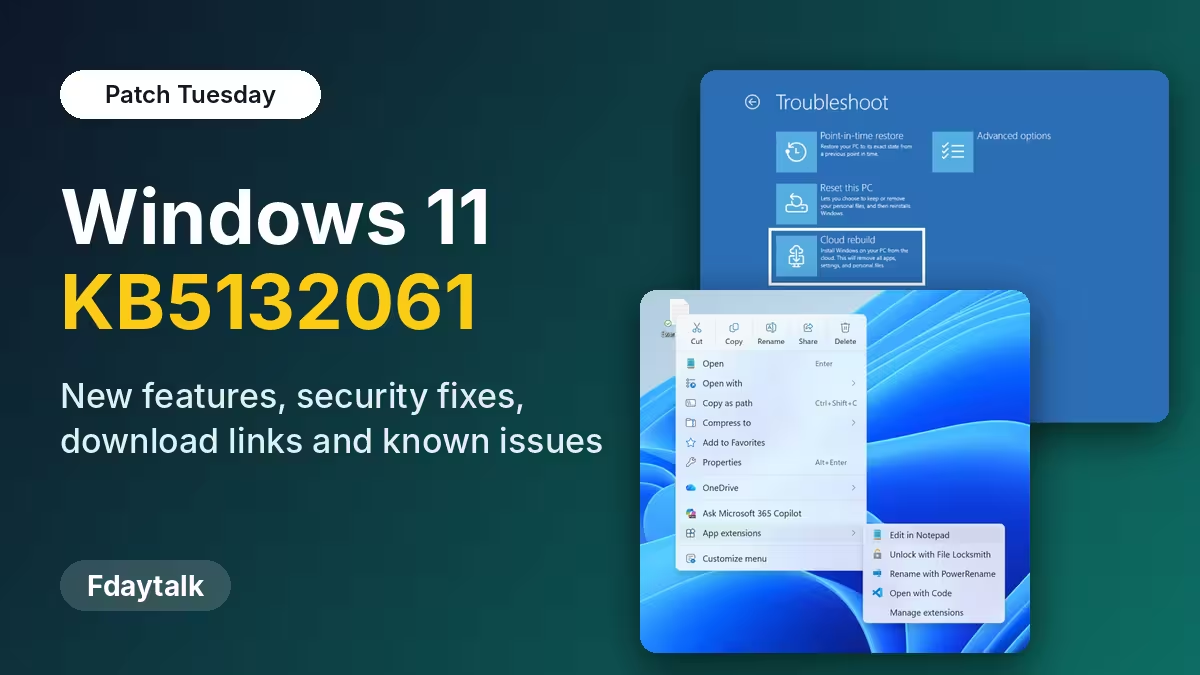
The context menu finally gets a Customize menu option at the bottom. It opens a page in Settings under Personalization where you decide what shows up when you right-click. You can switch off entries such as Send to or Create shortcut, add commands like Print, and move app extensions into a separate submenu. Cut, Copy, Paste, Rename, Delete and Share now appear as plain menu items instead of a row of icons. Hold Shift while you right-click the desktop to reach the extra options.
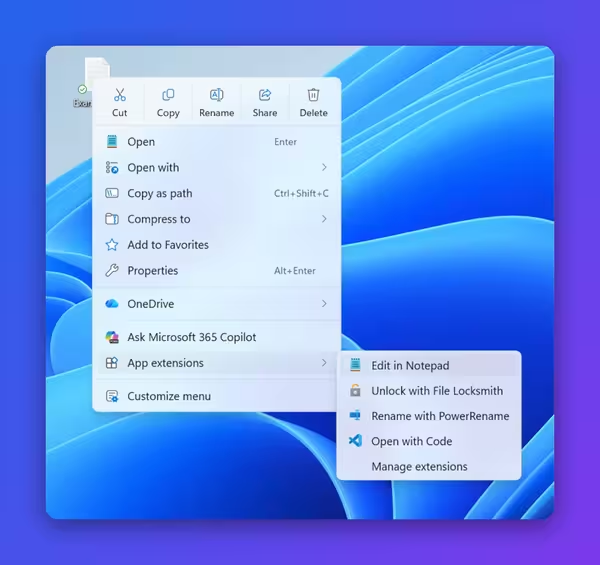
Microsoft rolls this feature out in stages, so the option may not appear right after you install.
File Explorer, AutoPlay and Settings Changes
- Search results show the file name, location and date in one consistent layout.
- Typing ~ in the address bar jumps to your user folder, so ~\AppData opens AppData directly.
- The Folder Options dialog supports dark mode.
- AutoPlay gets a modern design with dark mode and text scaling, and its notifications now stay in the notification center.
- The Privacy & security page groups Camera, Microphone and Location controls and shows which apps used them.
- The Device Info card on the Settings home page reaches more regions. It needs a Microsoft account.
Magnifier and Narrator Accessibility Upgrades
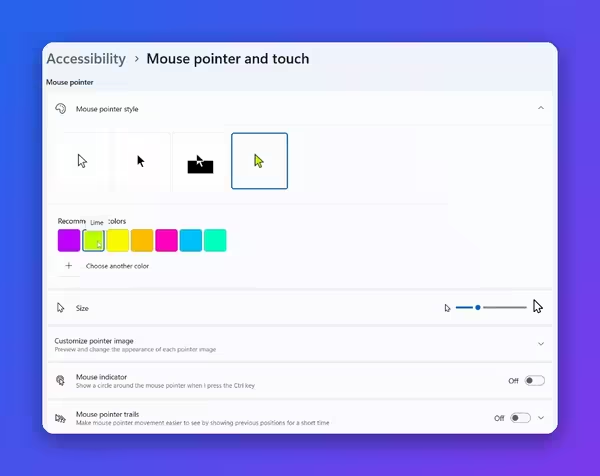
Magnifier now applies a different zoom level for each monitor when your displays use Extend mode. Point at a screen and press Windows key + Plus or Minus to change that screen's zoom. Press Ctrl + Windows key + K to lock the magnified view on one display while you work on another. A new contrast theme toggle cuts glare and keeps photos, videos and charts in their original colors.
Narrator now reads and navigates math equations in Word, PowerPoint and web pages in Edge and Chrome. Press Narrator key + Alt + N to start, then use the arrow keys to move through the equation. It supports English (US and UK), Traditional Chinese, Finnish, German and Spanish. Live Captions also gains an Include screen reader audio setting that stays off by default.
Cloud Rebuild and Better Windows Recovery
Cloud rebuild reinstalls Windows 11 and your drivers straight from Windows Update, even when the PC cannot boot. You need no USB drive and no custom image. If Windows starts, go to Settings > System > Recovery and pick Rebuild PC. If it does not start, the option appears in WinRE after repeated boot failures.
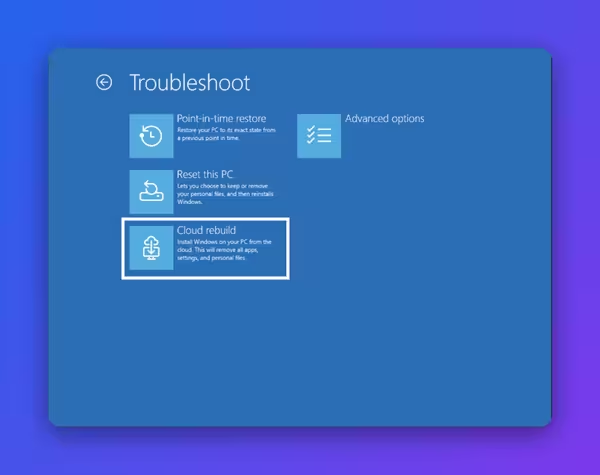
You can keep your files or wipe the drive. The Sanitize option erases the storage with the drive's own erase feature, and you cannot undo it.
WinRE can also reuse Wi-Fi profiles that Windows already saved, so a PC that fails to boot can reach the internet and start the repair without your help. Microsoft enables this by default, and IT admins can turn it off. Windows backup also adds a restore summary that lists which settings and Microsoft Store apps came back on a new device.
Memory Integrity Enabled by Default
Windows now enables memory integrity on supported hardware. The feature isolates drivers and critical code from the rest of the system, which blocks a class of deep malware attacks. Older PCs without dedicated hardware support may lose up to 5% of their frame rate in games. If that hurts, open Windows Security > Device Security > Core Isolation and switch it off.
Other Changes in KB5132061
- Modern Standby resumes faster, and the adaptive hibernate policy hibernates less above 80% battery and sooner below 10%.
- Xbox mode gets a new navigation bar with an exit to desktop option.
- Taskbar window previews animate better, and taskbar settings now stick across multiple monitors.
- Windows adds IPv6 CLAT support, which lets IPv4-only apps work on IPv6-only networks.
- Text shaping supports Unicode 17.0 with 4,803 new characters.
- The prompt-based DPAPI experience now shows a retirement warning, so stop creating new prompt-protected data.
KB5132061 Security Fixes and the Exploited Outlook Zero-Day
Patch Tuesday fixed more than a thousand vulnerabilities across Microsoft products, and tracker counts differ slightly. Dozens carry a Critical rating. One flaw already sees real attacks: CVE-2026-124194, a Microsoft Outlook spoofing bug.
An attacker sends a crafted message file. When the user opens it, Outlook connects to an attacker-controlled location and skips the usual external content warning. That connection can leak the user's NTLMv2 hash, which the attacker can then use to sign in as that person. Microsoft rates it Moderate, but active exploitation makes it urgent. The Preview Pane does not trigger it.
Other fixes cover remote code execution bugs in Windows components such as LDAP, Message Queuing, RPC Runtime, Hyper-V and Schannel, plus several Word, Excel and Outlook flaws. Do not delay this update beyond a few days.
KB5132061 Download: Windows Update Steps and Offline .msu Installer
Install KB5132061 Through Windows Update
- Open Settings and select Windows Update.
- Click Check for updates.
- Wait for 2026-11 Security Update (KB5132061) to download and install.
- Click Restart now.
The download through Windows Update usually weighs about 1 to 1.5 GB.
Download KB5132061 Offline Installer (.msu)
Use the offline installer from the Microsoft Update Catalog when you manage many PCs or when Windows Update keeps failing. The packages run much larger than the Windows Update download.
- 26H2 (x64 and ARM64): about 5,020 MB
- 25H2 (x64 and ARM64): about 4,845 MB
On an x64 PC, install the two .msu files one at a time in this order. First run the checkpoint package kb5043080, then run kb5132061. Restart after both finish. Arm-based PCs need the Arm packages, not the x64 files.
Your PC also needs a recent servicing stack, version 26100.9539 or later, and a cumulative update from September 22 or later. Run this command in an elevated Command Prompt to check the servicing stack:
DISM /Online /Get-Packages | findstr /i "ServicingStack"KB5132061 Known Issues and How to Fix Install Errors 0x800f0993 and 0x80070306
Microsoft lists no major known issues for this release. Some users report that the install fails with error 0x80070306, 0x800f0993 or 0x800f0989. Try these fixes in order:
- Install every earlier pending update first, then retry.
- Install the two standalone packages in the order above.
- Open Command Prompt as administrator and run
DISM.exe /Online /Cleanup-Image /RestoreHealth, thensfc /scannow. If DISM is not working, fix that first. Restart and try again. - Go to Settings > System > Recovery and choose Reinstall now under Fix problems using Windows Update. This repairs Windows and keeps your apps, files and settings. Back up your files first.
Frequently Asked Questions
What is Windows 11 KB5132061?
It is the cumulative update Microsoft released on Patch Tuesday, November 10. It covers Windows 11 26H2, 25H2 and 24H2 and adds security fixes, new features and reliability improvements.
Which build number does KB5132061 install?
Windows 11 26H2 moves to build 26300.9974. Windows 11 25H2 moves to build 26200.9974. Windows 11 24H2 moves to build 26100.9974.
Is KB5132061 a mandatory update?
Yes. It is a security update, so Windows downloads and installs it automatically when Windows Update is on and not paused. Windows asks before it restarts your PC outside active hours.
How big is the KB5132061 download?
Windows Update downloads roughly 1 to 1.5 GB. The offline .msu packages from the Microsoft Update Catalog weigh about 4.8 to 5 GB because they carry the full set of components.
Why do I not see the new context menu option?
Microsoft enables most of these features gradually. Install the update, restart, and check again after a few days.
Should I turn off memory integrity?
Keep it on unless you notice stutter or lower frame rates in games on an older PC. In that case, switch it off in Windows Security under Core Isolation.
How do I fix error 0x800f0993?
Check your servicing stack version, install the checkpoint package before KB5132061, then run the DISM and SFC repair commands. A repair reinstall from Settings > System > Recovery is the last resort.