Mozilla just lifted the monthly data limit on the VPN built into Firefox. Starting November 10, you can browse through it as much as you want until January 31, 2027, and you pay nothing.
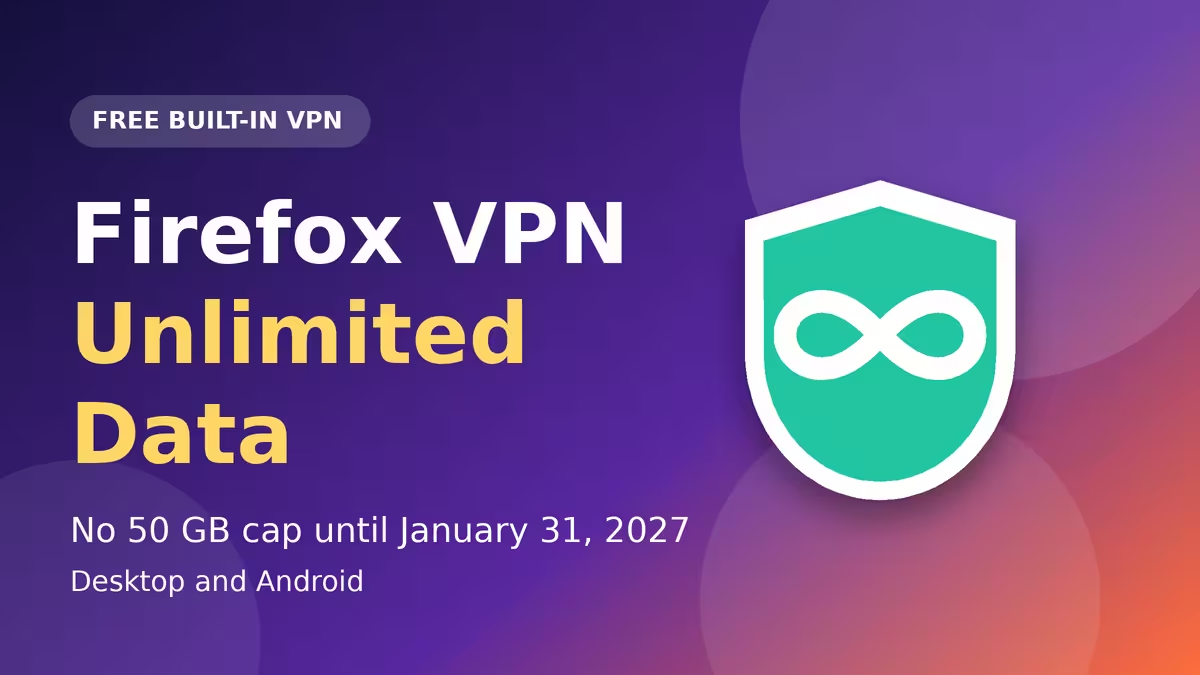
Firefox's free VPN normally stops at 50 GB per month. During this promotion, that ceiling disappears, so video streaming, long work sessions, and heavy holiday shopping will not run you out of protected data.
Firefox Free VPN Unlimited Data: Dates and What Changes
Mozilla announced the change on its official blog on November 10. The unlimited window runs for roughly twelve weeks. On February 1, 2027, the 50 GB monthly cap returns.
This is not the first time Mozilla has done this. The company ran a similar unlimited promotion during the summer travel season, so a repeat for the holidays fits a pattern. Treat the end date as firm and plan around it.
Is Firefox's Free VPN Available on Your Device and Region?
The feature works in Firefox on desktop and Android. iOS users have to wait, because Mozilla only says support is coming soon and has not named a date.
Two other conditions apply:
- You need a Mozilla account. Creating one takes only an email address.
- Availability depends on your region. Mozilla is still rolling the feature out in supported markets, so check the Help Center page for your country if the VPN option does not appear.
How to Enable Firefox's Free VPN on Desktop and Android
Setup takes about a minute.
- Update Firefox to the latest version.
- Sign in to your Mozilla account, or create a free one.
- On desktop, click the VPN icon in the toolbar. On Android, tap the three-dot menu, open Settings, and select VPN.
- Follow the setup prompts and switch the VPN on.
Once it runs, you can pick a different server location from the available countries. You can also set per-site exceptions, similar to split tunneling, so trusted sites skip the VPN while everything else goes through it. The VPN works in Private Window as well.
What You Can Do With Firefox's Built-In VPN
Firefox sends your browser traffic through a proxy, which swaps your real IP address for a different one before the request reaches a website. That makes it harder for sites to guess your location or tie your separate visits together.
Here are the practical uses:
- Shared Wi-Fi privacy: On public Wi-Fi at a café, airport, or hotel, or on a relative's network, the VPN hides which sites you visit from whoever runs that network.
- Location switching: You can make your connection appear to come from another country. A traveler can open news or services from home this way.
- Tracking reduction: Websites lose one of their easiest signals for following you across the web.
Mozilla says the service does not sell your browsing data, does not inject ads, and does not keep a record of the sites you visit. The proxy runs through Fastly, which has stated that it does not log the destinations of proxied requests and does not inspect proxy traffic. These are company statements, not the result of a VPN audit, so read the privacy policy if you want the full picture.
Firefox VPN Limits: What It Does Not Protect
Do not mistake this feature for a full VPN. It protects only the traffic inside Firefox. Other browsers, desktop apps, background services, and downloads outside Firefox keep using your normal connection.
It also does not make you anonymous. Cookies and logged-in accounts still tell websites who you are, and Firefox still saves local history in regular windows. Use a Private Window if you do not want visits logged on your device.
If you need device-wide protection, Mozilla sells a separate paid product called Mozilla VPN. It covers apps beyond the browser.
How Firefox Reduces Browser Fingerprinting Beyond the VPN
Mozilla paired the VPN news with research on browser fingerprinting. Trackers combine details like fonts, screen size, and graphics hardware to recognize a browser without cookies.
Researchers from Mozilla, the University of Toronto, and UC San Diego measured nearly 25 million Firefox users. In one tracker model, protections that arrived in Firefox 143 cut the share of users with a unique fingerprint from 75.7% to 46.8%. Other models showed similar drops. Trackers can adapt, so the numbers describe a moving target, but they show the browser's built-in defenses work.
For stronger protection in regular windows, open Settings and set Enhanced Tracking Protection to Strict.
Firefox Free VPN vs Mozilla VPN: Which One Do You Need?
The two products solve different problems, so the right pick depends on what you want to protect.
- Firefox's free built-in VPN costs nothing and covers only browsing inside Firefox. It works well for public Wi-Fi, travel, and casual privacy, and the data cap no longer limits you until the end of January.
- Mozilla VPN is a separate paid subscription. It extends protection to other apps and connections across your device, so it fits anyone who wants coverage beyond the browser.
If you only browse in Firefox, start with the free option while the cap is off. If you use messaging apps, other browsers, or downloads on untrusted networks, the paid service gives you the wider coverage.
Frequently Asked Questions
Is Firefox's built-in VPN really free?
Yes. You only need a Mozilla account. The normal limit is 50 GB per month, and Mozilla removed it from November 10 to January 31, 2027.
What happens after January 31, 2027?
The VPN stays free, but the 50 GB monthly data cap returns on February 1, 2027.
Does the VPN work on iPhone and iPad?
Not yet. Mozilla says iOS support is coming soon but has not given a release date.
Does it protect my other apps?
No. It covers only traffic inside Firefox. Mozilla VPN, a separate paid service, protects other apps on your device.
Does it make me anonymous?
No. Cookies, account logins, and local browsing history can still identify your activity.
Can I use it in Private Window?
Yes. The VPN works in private mode, and Private Window also keeps visits out of your local history.
Why can't I see the VPN option?
The feature is available only in supported regions and is still rolling out. Update Firefox, sign in to your Mozilla account, and check the Help Center for your region.
Related Guides
- Firefox Free VPN Explained: 50GB Limit, Supported Countries, Setup and Safety
- 5 Best Free VPN for Android Apps: Top Picks With Unlimited Data, Streaming and More
- Why Your VPN Shows the Wrong Location and How to Fix It
- How to Choose a No-Logs VPN: Key Features to Check
- Is Hotel Wi-Fi Safe? What Your IP Reveals on Public Networks