Urban VPN is not safe for anything private. The desktop app is not a virus, and the tunnel itself did not leak in most tests. The problem is the business model. Urban VPN pays its bills with user data, and its Chrome extension was caught collecting AI chatbot conversations. If you want a VPN to protect your privacy, this one works against you.
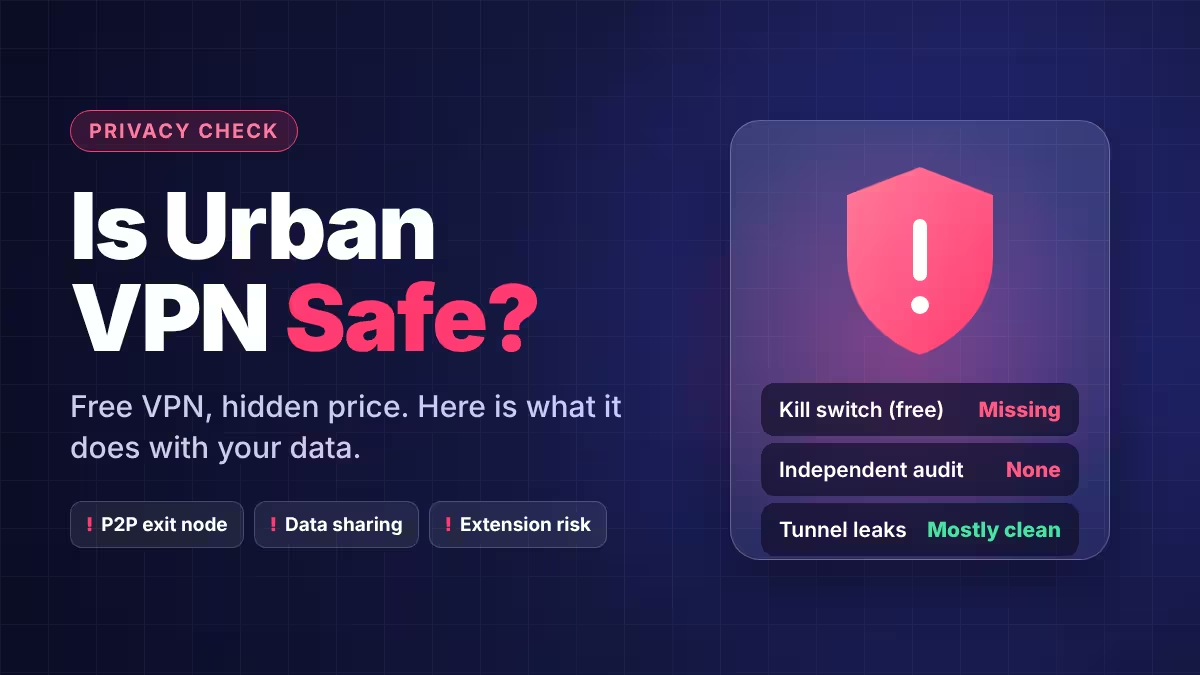
This guide explains what Urban VPN does with your connection, what its policy allows, what happened with the extension, and which VPNs you should use instead.
Is Urban VPN Safe to Use?
| Area | Result |
|---|---|
| Desktop app malware | Not malware, but flagged by some scanners as a potentially unwanted program |
| Network design | Free users can become exit nodes for strangers |
| Privacy policy | Allows collecting browsing data and sharing it with affiliates |
| Browser extension | Captured AI chats from July to December 2025 |
| Kill switch | Missing on the free version |
| Independent audit | None |
| Verdict | Avoid for banking, work, AI chats or anything personal |
Does Urban VPN Use Your Device as an Exit Node?
Most VPNs send your traffic to a server the company owns, and websites see that server's address. Urban VPN's free service uses a community model instead. Users share their connections with each other, so your traffic can leave through another person's device, and their traffic can leave through yours.
This design creates two practical problems.
Your IP address carries other people's activity. If a stranger downloads pirated films or does something worse through your connection, the trail points to your home address. Your internet provider, not the stranger, receives the copyright notice or the complaint.
Your data and bandwidth go to other people. Some testers saw daily data use rise by hundreds of megabytes while the app ran. That matters on a capped mobile plan.
Urban sells a Premium plan, but its policies do not clearly say whether paying removes your device from the sharing pool. Do not assume it does.
Is Urban VPN Legit or a Scam, and Who Owns It?
Yes, it is a real company with working apps. Urban Cyber Security Inc. is registered in Delaware, and the software connects and can bypass geo-blocking on some streaming sites. It is not a fake product.
Legit does not mean trustworthy. Researchers and journalists link Urban VPN to BiScience, a data broker that builds marketing products from browsing data. Sources disagree on whether BiScience is a parent company or an affiliate, and Urban's own policy does not name it.
How Does Urban VPN Make Money If It Is Free?
Running VPN servers costs real money, so a free service needs another income source. For Urban VPN, that source is your data. The policy lets Urban pass raw personal information to affiliates, which then process and anonymize it. It also describes selling marketing insights and behavior segments.
A VPN should hide your browsing from outsiders. Urban VPN treats your browsing as the product.
Does Urban VPN Keep Logs or Sell Your Data?
The policy lists a long set of data types, including:
- IP addresses and device identifiers
- Visited pages, search results and click activity
- Shopping activity such as products viewed or added to a cart
- Usage data and crash logs
- Prompts and other text you type into certain AI tools
The company says it removes identifying details from browsing data after a set period, but it admits it cannot guarantee that all personal data disappears. Urban VPN also makes no clear promise of a no-logs policy for VPN traffic, which every privacy-focused VPN makes up front. No outside firm has completed a VPN audit of its claims, so you have only the company's word.
The policy does include an opt-out for data sales. If you keep any Urban product installed, use it.
Is the Urban VPN Chrome Extension Safe?
The extension is the most serious issue, and it is a separate product from the desktop app.
In December 2025, Koi Security reported that Urban VPN Proxy had collected users' conversations with AI chatbots. The code arrived in version 5.5.0 on July 9, 2025, and Chrome and Edge pushed the update to existing users automatically. Nobody had to click anything.
The collection targeted eight AI platforms: ChatGPT, Claude, Gemini, Microsoft Copilot, Perplexity, DeepSeek, Grok and Meta AI. It captured prompts, replies, conversation IDs and timestamps, then sent them to Urban's servers. Sibling extensions from the same publisher shared the code, which put the total number of affected users above eight million.
Three details make this worse:
- A hardcoded setting switched collection on, and users had no toggle to turn it off.
- It kept running when the VPN was disconnected.
- The extension's own "AI protection" feature warned users about sharing sensitive data with AI tools, while the collection ran in the background.
Google removed the Urban-linked extensions from the Chrome Web Store on December 18, 2025, and Microsoft removed them from Edge Add-ons on December 23, 2025. The Chrome listing has since returned without a public explanation. A listing that is back online does not show that the problem is fixed.
The extension also works as a browser proxy, not a full VPN. It does not encrypt your traffic, and it only covers what happens inside the browser. If you installed it at any point after July 2025, remove it, clear your cookies and change the passwords for accounts you used in that browser. Treat any AI conversation from that period as exposed.
A legal investigation into the extensions is also underway. Those are allegations, and no court has found Urban liable.
Is Urban VPN a Virus or Malware?
No. The desktop app does not spread, damage files or fight uninstallation. Antivirus tools that flag it usually label it a potentially unwanted program, which means software you installed on purpose that behaves in ways you may not want.
A few details help you judge the alerts:
- The real service file lives in the Program Files folder under UrbanVPN. A file with the same name in the Windows or System32 folders deserves suspicion.
- The Windows app installs a background service that keeps running after you close the window.
- One test found the background services used about 518 MB of data over 24 hours with the app closed. Turning off the "keep background services running" setting cut that to roughly 64 MB.
If Microsoft Defender flags the extension as a trojan, do not dismiss the alert. Remove the extension.
Does Urban VPN Leak Your IP or Have a Kill Switch?
Testers found no IP, WebRTC or IPv6 leaks in most sessions, and the app hides your address while the tunnel stays up. The weak spots appear when conditions change:
- DNS leak on a US server. One reviewer saw their own provider's DNS resolver next to Google's, which means the provider could still see which sites they visited.
- No kill switch on free. When the connection drops, traffic goes out unprotected. A cable-pull test confirmed this, and torrent peers would see your real IP.
- Unclear encryption details. Urban says it uses OpenVPN with 256-bit encryption but does not publish the exact cipher.
- Frequent drops. Several testers reported disconnects on Windows, Mac and iPhone.
Urban also launched Urban LinkX in May, a WireGuard-based protocol that testers found fast on some servers. A faster protocol does not change what the company collects.
Is Urban VPN Safe on Windows, Mac, Android and iPhone?
- Windows: Simple and quick to connect, but it pushes upgrade prompts and keeps a background service active by default.
- Mac: Testers reported crashes.
- Android: The free plan caps daily data, and a better free VPN for Android exists. Its alternative to paying is a Safe Browsing feature that uses the Accessibility permission to send visited URLs and device details to Urban.
- iPhone: The app opens on a Premium paywall.
Who Should Avoid Urban VPN?
Use it only for a short, low-risk task on a device where you are not signed in to anything. Checking how a public page looks from another country is a fair example. Even then, your connection may carry someone else's traffic while you run it.
Skip it if you:
- Use AI chatbots for work, health or personal questions
- Bank, shop or read email in the same browser
- Share a home internet connection with family or roommates
- Use a capped mobile plan
How to Uninstall Urban VPN and Its Extension
- Extension: Open
chrome://extensions(oredge://extensions), find Urban VPN Proxy and click Remove. In Firefox, open Add-ons and themes and remove it there. - Windows app: Go to Settings, then Apps, select Urban VPN and click Uninstall. If Windows blocks it, end the process in Task Manager and try again. Afterward, check that the UrbanVPN folder in Program Files is gone and the background service no longer appears.
- Mac app: Quit Urban VPN and drag it from Applications to the Trash.
- Phone: Press and hold the app icon and choose Uninstall or Remove App.
- Accounts: Change passwords and clear cookies if the extension was active after July 2025.
Best Safe Free VPN Alternatives to Urban VPN
Better options exist at every price, including a free VPN with no data limit. These services use their own servers, so strangers' traffic never exits through your device.
| VPN | Cost | Logging approach | Audit status | Notes |
|---|---|---|---|---|
| Proton VPN Free | Free | No-logs policy | Audited annually | No ads, no data cap, server assigned for you |
| Windscribe Free | Free | No-logs policy | Claims tested in court and a server seizure | Monthly data limit applies |
| PrivadoVPN Free | Free | No-logs policy | No audit | 10 GB per month, no exit-node sharing |
| NordVPN | Paid | No-logs policy | Independently audited | Kill switch passed testing, unblocks more streaming services |
Proton VPN Free is the best zero-cost choice because it combines audited privacy with no data cap. If you can pay, NordVPN adds broader app support, a working kill switch and better streaming results. See the best VPN for streaming list for more picks. Whichever service you pick, check three things first: a clear no-logs policy, an independent audit and a kill switch.
Final Verdict: Should You Use Urban VPN?
Urban VPN gives you a free connection and takes your browsing data in return. The peer-to-peer design exposes your IP address, the policy allows data sales, the free app lacks a kill switch, and the extension collected AI conversations without a switch to stop it. If Urban VPN sits on your device, remove the extension first, then the app, and move to an audited VPN.
Frequently Asked Questions
Is Urban VPN safe to use?
Not for private activity. It does not behave like malware, but its data collection, peer-to-peer routing and missing audit make it a poor choice for banking, AI chats or personal accounts.
Is Urban VPN a virus?
No. Antivirus tools usually flag it as a potentially unwanted program. The Chrome extension carries the real risk, because it collected AI chat data.
Does Urban VPN sell your data?
Its policy permits sharing raw personal information with affiliates and selling marketing insights built from browsing behavior. You can opt out through the policy's opt-out section.
Does Urban VPN keep logs?
Yes. It collects browsing activity, IP addresses and device identifiers, and it does not make a clear no-logs promise for VPN traffic.
Can other people use my IP address through Urban VPN?
On the free network, yes. Your device can act as an exit node, so another user's activity can appear to come from your connection.
Is Urban VPN free?
The desktop and Chrome versions cost nothing, and you pay with your data. Android limits free use each day, and the iPhone app requires Premium.
What is the best free alternative to Urban VPN?
Proton VPN Free is the strongest option. It has no ads, no data cap and an annual audit. Windscribe Free and PrivadoVPN Free also avoid peer-to-peer routing.