Kagi just entered the email market. The company behind the paid, ad-free search engine opened a public beta of Kagi Mail, and it now competes with two very different rivals: Gmail, the free inbox most of the world uses, and Proton Mail, the encrypted service privacy fans swear by.
Each service answers one question differently: who pays for your inbox, and who can read it? Gmail runs on Google's ad and data business. Proton charges a subscription and locks your mail so even Proton cannot open it. Kagi also charges a subscription and promises no ads or tracking, but it builds its inbox around speed, open standards and optional AI.
This guide puts all three side by side so you can pick the right one for your needs.
Kagi Mail vs Gmail vs Proton Mail: Which Should You Pick?
- Pick Proton Mail, if you want the strongest privacy. Its zero-access encryption keeps your stored mail unreadable to the company.
- Pick Kagi Mail, if you want a fast ad-free paid inbox with lots of storage and unlimited aliases. It also supports standard IMAP and lets you switch AI off.
- Pick Gmail, if you want a free inbox with deep Google Workspace integration and the best AI tools. You accept Google's data model in return.
Kagi Mail vs Gmail vs Proton Mail: Feature Comparison
| Feature | Kagi Mail | Proton Mail | Gmail |
|---|---|---|---|
| Company base | United States | Switzerland | United States |
| Business model | Paid subscription, no ads | Free tier plus paid plans, no ads | Free with ads, paid storage and Workspace |
| Free option | 60-day trial only | Yes (up to 1 GB) | Yes (15 GB shared) |
| Paid price | $99/year, or included in Kagi Ultimate ($25/month) | Mail Plus from $3.99/month billed yearly | Google One from $1.99/month, Workspace per user |
| Mail storage | 50 GB | 15 GB on Mail Plus, 500 GB on Unlimited | 15 GB free, shared with Drive and Photos |
| Zero-access encryption | No | Yes | No |
| End-to-end encryption | No | Yes, between Proton users and via password-protected mail | No for consumer accounts |
| Aliases | Unlimited | Limited by plan, unlimited hide-my-email on Unlimited | Limited |
| Custom domain | Yes | Paid plans | Workspace only |
| Standard IMAP clients | Yes, plus JMAP and CalDAV | Only through Proton Mail Bridge | Yes |
| AI features | Optional, one switch turns them off | Proton Scribe and Lumo, privacy-first | Gemini built in |
| Native mobile apps | Not yet (planned for 2027) | Yes | Yes |
| Status | Public beta | Mature | Mature |
What Is Kagi Mail and Is It Worth $99 a Year?
Kagi Mail launched in public beta on November 23. You can sign up with an @kagimail.com address or bring your own domain, and every account comes with an email client, a calendar and 50 GB of space for mail.
Kagi Mail Pros
- No ads, no tracking: You pay Kagi directly, so nobody profiles you for advertisers. The inbox also blocks tracking pixels.
- Generous storage and aliases: 50 GB of mail space plus unlimited aliases and custom domains.
- Open standards: IMAP, JMAP and CalDAV work with Apple Mail and Thunderbird, so you can leave anytime.
- AI you control: Inbox Highlights, phishing screening, translation and PDF search all switch off with one toggle.
Kagi Mail Cons
- No zero-access encryption: Kagi's systems can process your mail, so it offers less protection against a court order than Proton.
- US jurisdiction: Kagi operates under US law, the same legal system that covers Google.
- Beta software: Expect rough edges. Native mobile apps will not arrive until 2027.
- No free plan: You pay $99 a year after the 60-day trial.
Proton Mail Review: Zero-Access Encryption From Switzerland
Proton Mail comes from scientists who met at CERN and runs from Geneva. It remains the service other private providers measure themselves against.
Proton Mail Pros
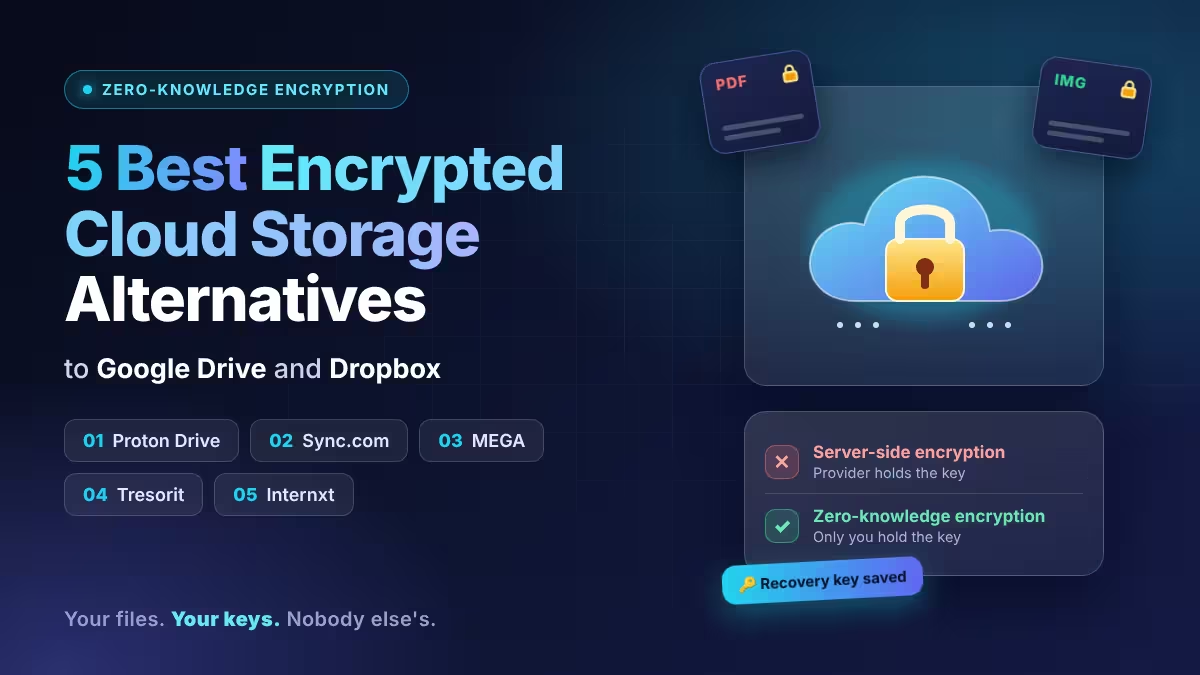
- Zero-access encryption: Only your password unlocks your stored mail, so Proton can only hand over scrambled data.
- End-to-end encryption: Mail between Proton users stays encrypted. Password-protected messages and PGP cover everyone else.
- Swiss law: Switzerland sits outside the Five, Nine and Fourteen Eyes alliances.
- Open source and audited: Anyone can inspect the app code and independent firms audit it.
- Full private suite: Proton Unlimited bundles Mail, Calendar, Drive, VPN and Pass.
Proton Mail Cons
- Tight free tier: 1 GB, one address and a 150-message daily sending cap.
- Slower search: Your device builds the search index locally.
- Bridge required for desktop clients: Outlook, Thunderbird and Apple Mail need the Bridge app on a paid plan.
- No recovery safety net: Lose your password and recovery phrase and your mail is gone.
- Metadata still exists: Subject lines, senders and timestamps stay unencrypted. A Swiss court once forced Proton to log one account's IP address.
Gmail Review: Free Storage and Gemini AI at a Privacy Cost
Gmail serves well over a billion people and sets the standard for convenience.
Gmail Pros
- Free storage: 15 GB shared across Gmail, Drive and Photos.
- Spam filtering: Best in the industry.
- Gemini AI: Drafts replies, summarizes threads and works across Docs, Calendar and Meet.
- Ecosystem: Countless apps offer "Sign in with Google" and Android uses Gmail by default.
- Easy recovery: Google can restore a locked account because it controls the keys.
Gmail Cons
- Google can read your mail: Google holds the keys, so legal requests can return readable content.
- Ads on the free tier: Free users see promotional ads and Google ties activity to its ad profile.
- Confidential Mode is not encryption: Google can still read those messages.
- Shared storage fills fast: Photo backups often eat the 15 GB allowance.
Encryption Compared: Zero-Access vs Server-Readable Mail
Email encryption decides the contest for most privacy-focused readers.
Proton wins clearly. Its zero-access design means the company physically cannot read your stored mail, and Swiss law adds another layer of protection.
Kagi sits in the middle. It removes ads and tracking from the equation and blocks tracking pixels, but it keeps mail readable to its own systems and operates under US law. Think of Kagi as "private from marketers" rather than "private from everyone."
Gmail ranks last. Google reads mail to run its features, and US legal tools such as the CLOUD Act can compel it to hand over content.
Jurisdiction: Swiss Law vs US Law for Your Inbox
Where your provider sits legally decides which authorities can demand your data.
Proton operates from Switzerland, which stays outside the Five Eyes, Nine Eyes and Fourteen Eyes alliances. A Swiss court must approve a data request, and even then Proton can only hand over encrypted mail plus limited metadata.
Gmail falls under US law. Google must answer subpoenas, National Security Letters and CLOUD Act orders, and because it holds the keys to your mail, those orders can return readable messages.
Kagi Mail also falls under US law. The difference from Gmail is the business model: Kagi has no ad profile to build on you, so it collects less to begin with. Still, a US legal order can reach whatever Kagi stores about your mailbox, and unlike Proton, Kagi does not lock that content behind a key it cannot access.
Gemini vs Kagi AI vs Proton Scribe: Which Email AI Respects Privacy?
Among AI email writing tools, Gmail leads on raw power. Gemini reaches across your inbox and the rest of Workspace.
Kagi offers a practical middle ground. Its AI tools help triage, translate and screen phishing, and you can disable all of them instantly.
Proton keeps AI on a tight leash. Proton Scribe can run locally or on no-logs servers, and Proton says it never trains models on user email. You get less capability but stronger guarantees. Proton's Lumo assistant follows the same approach, and Proton Lumo Projects add organized workflows.
Kagi Mail vs Proton Mail vs Gmail Pricing: Every Plan Compared
| Plan | Price | Storage |
|---|---|---|
| Gmail Free | $0 | 15 GB shared |
| Google One Basic | $1.99/month | 100 GB |
| Google Workspace Business Starter | About $7/user/month | 30 GB |
| Proton Free | $0 | Up to 1 GB |
| Proton Mail Plus | $3.99/month billed yearly ($4.99 monthly) | 15 GB |
| Proton Unlimited | $9.99/month billed yearly ($12.99 monthly) | 500 GB |
| Kagi Mail | $99/year after 60-day trial | 50 GB |
| Kagi Ultimate | $25/month (includes Kagi Mail and search) | 50 GB mail |
Gmail costs the least for basic use. Proton Mail Plus gives the cheapest paid private inbox with a custom domain. Kagi costs a bit more per year than Proton Mail Plus but gives you more than three times the mail storage and unlimited aliases.
Mobile Apps, Desktop Clients and IMAP Support
Gmail offers the most polished experience on web, Android and iOS, with instant search and robust offline mode.
Proton now ships native desktop apps for Windows, macOS and Linux, plus redesigned mobile apps with offline support. You still need Bridge for third-party desktop clients.
Kagi focuses on a fast web app and automatic setup for standard clients. Without native mobile apps, it suits desktop users and people happy to add an IMAP email account in Apple Mail or another app on their phone.
Account Recovery: What Happens If You Lose Your Password
Privacy and recovery pull in opposite directions.
Proton gives you no safety net. Because it cannot read your mailbox, it also cannot unlock it. If you lose both your password and your recovery phrase, your encrypted mail disappears permanently. Write the phrase down and store it offline the day you sign up.
Gmail sits at the other extreme. Google controls the keys, so it can restore most locked accounts through your phone number, a backup address and identity checks, so review your Gmail security settings now.
Kagi's launch material does not spell out its recovery process, and the service is still in beta. Check its help pages before you move important accounts, and keep a second recovery method for every service tied to the address.
How to Switch From Gmail to Kagi Mail or Proton Mail
You do not need to leave Gmail overnight. A gradual move protects you from lost mail and locked accounts.
- Open the new account: Start the Kagi 60-day trial or create a Proton account. Proton Free works for testing.
- Import your old mail: Proton's Easy Switch tool copies mail, contacts and calendar events from Gmail. For Kagi, connect both accounts in a desktop client that supports IMAP, such as Thunderbird, and copy folders across. Your Drive files need a separate Google Drive to Proton Drive move.
- Forward Gmail: Turn on forwarding in Gmail settings so nothing slips past while you update accounts.
- Update critical accounts first: Change the address on banking, identity, password manager and recovery settings before newsletters and shopping sites.
- Add a custom domain: Both Kagi and Proton support one. Set up SPF, DKIM and DMARC records so your mail avoids spam folders. Your address then stays portable if you change providers again.
- Run both inboxes for 60 to 90 days: Move stragglers, then reduce Gmail to a forwarding fallback. Delete it only after you confirm every service points to the new address.
Which Private Email Should You Choose?
Choose Proton Mail if:
- You handle sensitive work such as journalism, legal cases, health records or confidential client files.
- You want your provider unable to read your mail under any circumstance.
- Swiss jurisdiction matters to you.
- You want encrypted Drive, Calendar, VPN and password manager in one plan.
Choose Kagi Mail if:
- You already pay for Kagi search and like its no-ads approach.
- You want plenty of storage, unlimited aliases and custom domains at one flat yearly price.
- You prefer standard IMAP, JMAP and CalDAV access without a bridge app.
- You want optional AI help that you can fully disable.
- You can live with beta software and no native mobile app for now.
Choose Gmail if:
- You want a capable inbox without paying anything.
- Your work runs on Google Docs, Calendar and Meet.
- You rely on Gemini or many third-party Google integrations.
- You value easy account recovery over provider-proof privacy.
Split approach: Many people keep Gmail for newsletters, shopping receipts and low-stakes sign-ups, then move banking, identity, health and legal accounts to Proton or Kagi. Forward Gmail to the new inbox, update critical accounts first, and run both in parallel for a couple of months before you retire the old one.
Frequently Asked Questions
Is Kagi Mail end-to-end encrypted?
No. Kagi Mail does not use zero-access or end-to-end encryption like Proton. It protects you from ads and tracking, but its systems can process your mail, which its optional AI features rely on.
Is Kagi Mail free?
Kagi offers a 60-day free trial. After that, Kagi Mail costs $99 a year plus sales tax, or comes included with the $25-a-month Kagi Ultimate plan.
Does Kagi Mail have mobile apps?
Not yet. Kagi plans native mobile apps for 2027. Until then, you can use the web app or connect any IMAP client on your phone.
Is Proton Mail safer than Gmail?
Yes, for confidentiality. Proton cannot read your stored mail, while Google can. For blocking account takeovers, both services work well once you enable passkeys or hardware-key 2FA.
Can I use Kagi Mail or Proton Mail with Outlook or Thunderbird?
Kagi Mail connects directly through IMAP and sets up automatically in clients like Apple Mail and Thunderbird. Proton Mail needs the Proton Mail Bridge app on a paid plan.
Which service gives the most storage for the money?
Kagi Mail gives 50 GB of mail storage for $99 a year. Proton Unlimited gives 500 GB across all Proton apps for $9.99 a month billed yearly. Gmail gives 15 GB free, shared with Drive and Photos.
Can I move my Gmail to Kagi Mail or Proton Mail?
Yes. Proton offers its Easy Switch tool to import mail, contacts and calendars from Gmail. Kagi supports standard IMAP, so you can import mail with common migration tools or a desktop client. In both cases, forward your Gmail to the new address during the switch.
Related Guides
- Best Email Encryption Services: 5 Free and Paid Options Compared for Privacy
- Is Someone Reading Your Gmail? Gmail Security Settings to Check and Fix Right Now
- How to Move Files from Google Drive to Proton Drive: Easy Switch, Takeout and Rclone Methods
- 5 Best Private AI Chatbots: Tested Privacy Picks for Every Need
- 5 Best Email Clients for Mac in 2026 (Free and Paid Options)