HAMMER India has launched its latest smartwatches, the HAMMER Cyclone smartwatch in India along with HAMMER Active 2.0. it is one of the two new smartwatches launched by HAMMER India on Amazon Prime Day, which runs from July 15th to midnight on July 16th.
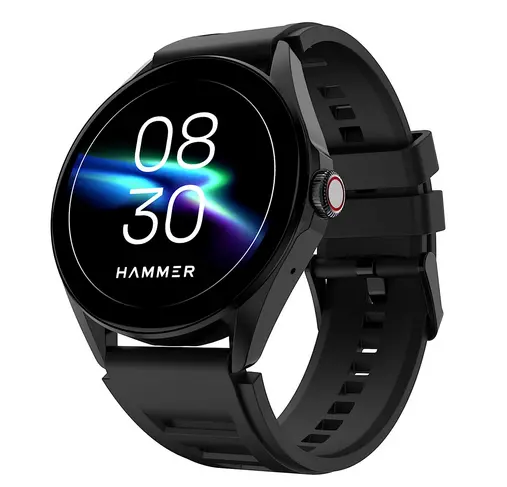
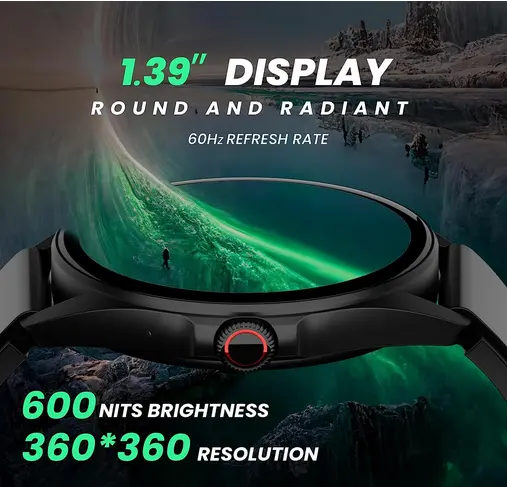
The HAMMER Cyclone smartwatch comes with a 1.39″ round 60Hz display with a brightness of 600 nits and a resolution of 360×360 pixels. It also features Bluetooth connectivity, built-in speaker and microphone, and password protection, ensures both security and convenience for users. Additionally, its IP67 water resistance, and compatibility with the MASWEAR App
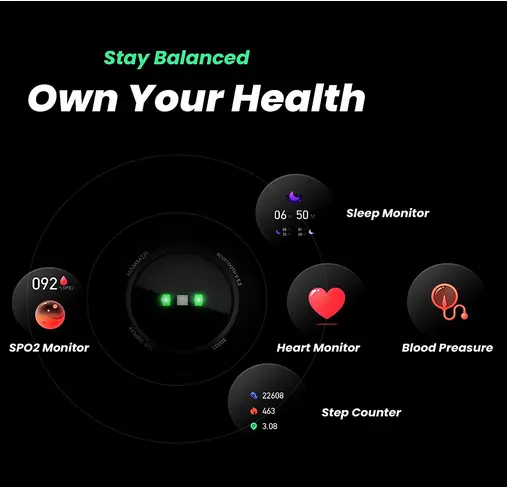
The smartwatch also have a comprehensive health tracking capabilities, monitoring sleep patterns, heart rate, blood pressure, SpO2 levels, and even includes a dedicated female health tracker. It comes with three (3) menu styles, over 100+ sports modes, and more than 100+ watch faces, allowing for personalization to suit different occasions and moods.
Some other features on this smartwatch include a voice assistant, call management, media control, weather updates, stopwatch, music control, camera control, alarm, timer, and more, making it a versatile companion for daily activities.
HAMMER Cyclone Smartwatch Specifications
- Build: Round Dial Smartwatch
- Display: 1.39″ 60Hz display
- Brightness: 600 nits
- Resolution: 360×360
- Durability: IP67 Water resistant
- Connectivity: Bluetooth v5.2
- Speaker and Mic: Inbuilt speaker and mic
- Health & Activity Trackers: health rate, SpO2 level, sleep patterns, blood pressure, and dedicated female health tracker.
- Sports Modes: 100+ Sports modes
- Watch Faces: 100+ cloud and customized watch faces
- Games: In-built games
- Voice Assistant: Yes (Siri and Google)
- Charging: Magnetic Charging support
- App: MASWEAR App
Price and availiabity
The HAMMER Cyclone Smartwatch is priced at Rs. 1,299 and will exclusively available for purchase on the official Hammer website, and Amazon.in

