Paying per token feels cheap until an agent, a chatbot or an automation workflow starts running all day. A small VPS that runs a quantized open model gives you a flat monthly bill, no rate limits and full control over your data. The catch is that most hosting ads quote prices for plans that cannot load a modern model at all.
This guide shows what hardware a self-hosted LLM actually needs, which plans fit that need at the lowest price, and how to launch Ollama safely in under an hour. It also fits the wider push to replace cloud subscriptions with servers you control.
How Much RAM Does a Self-Hosted LLM Need on a VPS?
Headline prices of $4 to $6 per month almost always buy 1 GB or 2 GB of RAM. That is enough for a website and nowhere near enough for a language model. The model must sit in memory while it generates text, so RAM decides what you can run.
| Model size (4-bit quantized) | Practical RAM | What it handles |
|---|---|---|
| 1B to 3B | 2 to 4 GB | Simple chat, classification, tiny assistants |
| 7B to 8B | 8 GB | Chatbots, summaries, structured data extraction |
| 13B | 16 GB | Better reasoning, longer context |
| 70B | 40 GB or more | Possible, but painfully slow on CPU |
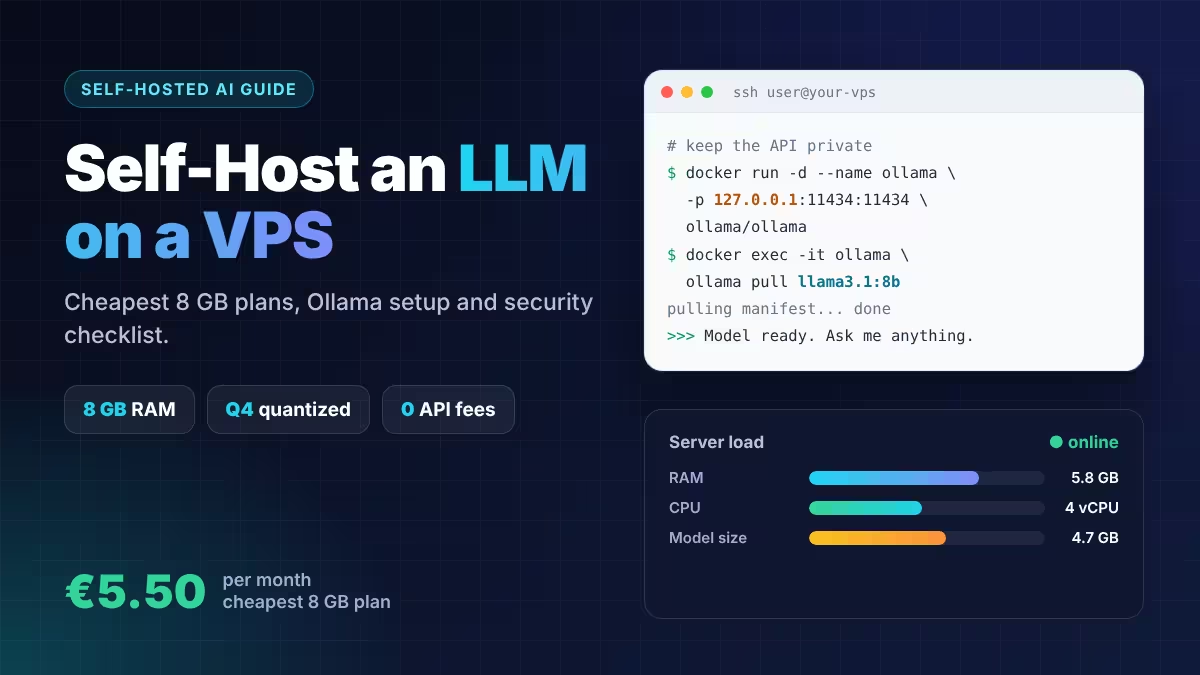
A 7B or 8B model in Q4 quantization takes roughly 4.5 to 4.7 GB on disk. Add the operating system, Docker and a workflow tool such as n8n, and an 8 GB server runs with very little spare memory. Treat 8 GB as the real starting line for a useful setup, and budget for 4 vCPUs if you can.
CPU, Cores and NVMe: What Affects LLM Speed on a VPS?
Most VPS plans have no GPU, so the CPU generates every token. Two details change the experience more than the core count.
Clock speed: Standard cloud CPUs run around 2 to 2.5 GHz. High-frequency instances reach 3 GHz and above, and that gap can shave a large share off response time on CPU-bound inference.
Shared versus dedicated cores: On a shared plan, a busy neighbor can slow your server at random. Light personal use tolerates this. A customer-facing chatbot or an agent that loops through tool calls does not.
NVMe versus SATA SSD: Ollama reloads the model from disk whenever it restarts or frees memory. NVMe loads a 4.7 GB model in about 5 to 10 seconds. A standard SSD can take 30 to 60 seconds. You feel that difference every time you switch models.
Cheapest VPS Plans for Running an LLM (8 GB Price Comparison)
Prices move often, and several hosts changed theirs this year, so confirm the figure on the checkout page before you buy. These numbers reflect what I found for 8 GB class plans in late 2026. For a wider look at hosts, see the best VPS for self-hosted AI tools.
| Provider | Plan | Specs | Price | Notes |
|---|---|---|---|---|
| Contabo | Cloud VPS 4 | 4 vCPU, 8 GB, 100 GB SSD | €5.50/month list | Shared CPU, SSD not NVMe, 200 Mbit/s port |
| Hostinger | KVM 2 | 2 vCPU, 8 GB, 100 GB NVMe | $8.99/month on a 24-month term | Renews at $14.99 |
| Vultr | Regular Performance | 4 vCPU, 8 GB | $40/month | High Frequency 3 vCPU / 8 GB costs $48 |
| DigitalOcean | Basic Droplet | 4 vCPU, 8 GB | $48/month | Per-second billing |
| Hetzner | CPX32 | 4 vCPU, 8 GB, 160 GB NVMe | €35.99/month | Cheaper CX33 currently unavailable |
Hetzner deserves a note. It raised prices by roughly 30 to 37 percent after memory costs jumped, and its cheapest cost-optimized plans show as unavailable. The old advice to "just buy Hetzner" no longer saves money at the 8 GB tier.
Best VPS Provider for Each Use Case
- Cheapest way to test an idea: Contabo gives the most RAM and cores per euro. The slow 200 Mbit/s port means a 4.7 GB model download takes about three minutes, which is a minor annoyance.
- Better storage with live support: Hostinger's KVM 2 brings NVMe and an 8 GB ceiling at a low promo price. Remember the renewal jump, and note that you get 2 vCPUs, not 4.
- Users spread across the world: Vultr runs 33 locations, far more than any other provider here, and offers high-frequency CPUs.
- Beginners who value documentation: DigitalOcean costs more for the same hardware, but its tutorials and managed databases save setup time.
- European users with heavy traffic: Hetzner includes 20 TB of monthly EU bandwidth and shows very steady CPU performance in independent tests.
Can You Run an LLM on a VPS Without a GPU?
For a personal assistant, a small team or an n8n workflow, no. A CPU server handles 7B and 8B models at a speed that works for background automation and light chat.
GPU rental changes the math fast. The cheapest hourly cards at Vultr and DigitalOcean add up to roughly $340 to $1,200 or more per month if they run around the clock. That erases the savings that made self-hosting attractive. Rent a GPU by the hour only when many users hit the model at once or when you fine-tune.
How to Install Ollama and Open WebUI on a VPS
These steps assume a fresh Ubuntu 24.04 server with 8 GB of RAM and a non-root user.
1. Install Docker:
curl -fsSL https://get.docker.com | sh
sudo usermod -aG docker $USER
2. Start Ollama and keep it private:
docker run -d --name ollama \
  -p 127.0.0.1:11434:11434 \
  -v ollama:/root/.ollama \
  ollama/ollama
The 127.0.0.1 prefix is the important part. It keeps the API reachable only from the server itself.
3. Pull a model:
docker exec -it ollama ollama pull llama3.1:8b4. Add a chat interface: Run Open WebUI in a second container, point it at Ollama, and put Nginx or Caddy with an SSL certificate in front of it. The same box can host other self-hosted tools for developers as extra containers.
How to Secure a Self-Hosted Ollama Server
A public server gets scanned within hours of going online, so lock it down before you share the address.
A common beginner mistake is binding Ollama to 0.0.0.0 with no firewall. Anyone who finds the port can then run free inference on your server and slow it to a crawl. Keep the model API on localhost or on a private Docker network, and let only your own apps talk to it.
Use SSH keys only: Add your public key, then set PasswordAuthentication no in /etc/ssh/sshd_config and restart SSH.
Block everything except web traffic:
sudo ufw default deny incoming
sudo ufw allow 22
sudo ufw allow 80
sudo ufw allow 443
sudo ufw enable
Keep the system patched: Run sudo apt update && sudo apt upgrade weekly and turn on automatic security updates.
Expose only a reverse proxy: Publish Open WebUI or your workflow tool through Nginx or Caddy with SSL, and never publish port 11434. If your stack also needs a database, follow this guide to set up a self-hosted PostgreSQL database with SSL.
Which Quantization Should You Use: Q4_K_M or Q8?
Quantization shrinks a model by storing its weights with fewer bits. Q4_K_M is the usual sweet spot. It cuts memory use roughly in half compared with Q8 and costs a small, usually unnoticeable drop in quality for chat and agent work. Use Q8 only when you have spare RAM and want maximum accuracy.
Self-Hosted LLM vs Paid API: Limits and When to Use Both
A local 7B or 8B model does not match the top frontier models on hard reasoning or complex coding. It performs well on summaries, classification, data extraction, drafts and repetitive automation. Many teams run a hybrid setup: the local model handles high-volume, low-risk tasks, and a paid API handles the few requests where quality matters most. That mix usually beats either extreme on cost. The self-hosting vs SaaS cost breakdown shows where the break-even point sits.
If your agent only calls a hosted model through an API, you do not need any of this RAM. A 2 to 4 GB server runs the agent framework itself without trouble.
Checklist Before Buying a VPS for LLM Hosting
- Read the exact RAM figure on the plan page, not the marketing banner.
- Confirm whether the CPU is shared or dedicated.
- Look for NVMe storage if you swap models often.
- Pick a data center near your users to keep latency low.
- Check included bandwidth and port speed for large model downloads.
- Compare the renewal price, not only the first-term price.
- Note whether billing is hourly, per second or locked to a long term.
Frequently Asked Questions
Can I run a useful LLM on a $5 VPS?
Only a very small one. A 1B to 3B model fits in 2 to 4 GB of RAM, and it handles simple tasks. For 7B or 8B models, move to an 8 GB plan.
What is the cheapest VPS for a 7B model?
Contabo's Cloud VPS 4 is the lowest-priced 8 GB plan I found, at about €5.50 per month at list price. Hostinger's KVM 2 costs more but adds NVMe storage.
Can a CPU-only server run a 70B model?
It can load a 4-bit 70B model if it has around 40 GB of RAM, but generation is slow, often a few tokens per second. That speed suits batch jobs, not live chat.
Is Ollama or llama.cpp better for a small server?
Ollama is easier to set up and exposes an API that works with many tools. llama.cpp uses memory more tightly and gives finer control, which helps on very small servers.
Do I need a GPU for n8n with a local model?
No. A 4 vCPU, 8 GB server runs n8n and a 7B or 8B model together for personal or low-traffic use.
Is it safe to expose Ollama to the internet?
No. Bind it to localhost, block its port in the firewall and publish only a reverse proxy with SSL for the services that need public access.
How many users can one 8 GB server support?
A handful of light users at most. For about ten active users, plan on 16 GB of RAM and at least 4 vCPUs, and consider dedicated cores.